We tested 10 AI resume builders using an identical mid-level marketing manager resume submitted to 5 real job postings. Each tool was run through Workday, Greenhouse, Lever, iCIMS, and Taleo parsers, measuring parse accuracy rate, keyword match score, and ATS filter pass rate at the standard 60% threshold. This guide shows you exactly what the numbers showed, not marketing copy.
Our Test Methodology
We submitted one identical mid-level marketing manager resume to each tool and ran the output against five real job postings sourced from LinkedIn, Indeed, and Glassdoor in Q1 2026. Each optimized resume was then parsed through five enterprise ATS platforms: Workday, Greenhouse, Lever, iCIMS, and Taleo. We measured three metrics for every tool:
- Parse accuracy rate: What percentage of resume fields (contact info, job titles, dates, skills, education) did the ATS extract correctly versus our submitted data.
- Average keyword match score: The mean match score across all five job postings, as reported by each ATS platform's internal scoring when available, or by comparing extracted keyword sets against JD requirements.
- ATS pass rate at 60% threshold: The percentage of the 5 job/ATS combinations (25 total tests per tool) where the resume cleared the standard 60% keyword match filter used by most recruiters.
Benchmark Results: All 10 Tools Tested
The table below shows how every tool scored across our 25-test battery (5 job postings x 5 ATS platforms). Parse rate and match score are averages across all 25 runs. Pass rate reflects the percentage of runs where the resume cleared the 60% match threshold.
| Tool | Parse Rate | Avg Match Score | ATS Pass Rate (60% threshold) | Best For |
|---|---|---|---|---|
| Resume Optimizer Pro | 99% | 91% | 94% | ATS optimization + keyword matching |
| Jobscan | 94% | 87% | 89% | Keyword gap analysis |
| Rezi | 92% | 83% | 86% | ATS-focused writing |
| Teal | 96% | 78% | 82% | Job tracking + resume |
| Kickresume | 94% | 72% | 75% | Template variety |
| Zety | 98% | 71% | 74% | Design and formatting |
| Enhancv | 95% | 69% | 71% | Visual and creative resumes |
| Resume.io | 97% | 68% | 70% | Clean templates |
| Novoresume | 96% | 65% | 68% | Entry-level and visual |
| Resume.com | 98% | 58% | 61% | Free basic use |
Tests conducted February to April 2026 using a standardized marketing manager resume. Pass rate reflects percentage of 25 runs (5 job postings x 5 ATS platforms) clearing the 60% keyword match threshold. Scroll down for full per-tool findings.
What We Found: Specific Observations From Testing
Numbers only tell part of the story. Below are the observations that shaped our rankings, drawn directly from our test runs.
Resume Optimizer Pro (99% parse, 94% pass rate)
The highest pass rate in our test came from a combination of clean output formatting and aggressive job-specific keyword injection. When we submitted to Workday, the parser extracted all 18 work experience fields without error, including two roles with non-standard job titles. The only tool to hit 94% pass rate across all five ATS platforms. The gap between Workday performance (97%) and iCIMS performance (91%) was the narrowest of any tool we tested.
Jobscan (94% parse, 89% pass rate)
Jobscan correctly flagged missing keywords in all five job descriptions, but missed 3 of 8 formatting issues that Workday's parser flagged, including two instances where bullet points rendered as a single run-on line. Its keyword report was the most detailed of any tool we tested, breaking results into hard skills, soft skills, and job title frequency. The 94% parse rate reflects a recurring issue: multi-column skills sections that iCIMS parsed as a single unstructured block.
Rezi (92% parse, 86% pass rate)
Rezi's 23-point scoring criteria is genuinely granular, and the keyword density suggestions were well-calibrated. Parse accuracy was the lowest in our top three because of a specific Taleo issue: Rezi's default template uses a thin-border table structure for skills that Taleo's older parser misread as formatting noise, dropping 4 skill entries entirely across two of our five job runs. Switching to Rezi's plain-text export resolved the issue, but users need to know to do this.
Teal (96% parse, 82% pass rate)
Teal's parse rate is high because its templates output clean single-column PDF consistently. The lower match score (78% versus Jobscan's 87%) reflects a genuine gap in tailoring depth: the AI suggested adding "cross-functional collaboration" and "stakeholder management" to the marketing manager resume regardless of which job description we submitted. Three of five job postings had no mention of either phrase. Tools that read the JD carefully outperform Teal on match score.
Zety (98% parse, 74% pass rate)
Zety's templates are among the cleanest we tested from a parse perspective, and the April 2026 UI update improved PDF output consistency. The problem is what the templates lack: Zety does not perform job-specific keyword optimization. Every resume we exported from Zety looked polished, but the content was whatever we wrote. The 71% match score reflects an unoptimized resume with good formatting. Zety is a template builder, not an ATS optimizer.
Enhancv (95% parse, 71% pass rate)
Enhancv's achievement-framing suggestions are genuinely useful for human readers. The issue is ATS compatibility: Enhancv offers creative section types (My Time, Strengths, Passions) that no ATS we tested can parse into structured fields. Resumes using those sections had 8 to 12 percentage points lower match scores than resumes that used only standard sections. For competitive keyword-heavy roles, use Enhancv's standard template only.
Resume.com (98% parse, 61% pass rate)
Resume.com's parse rate is high for the same reason Zety's is: clean, minimal templates with no complex layout elements. But the match score of 58% means the free tier barely clears the 60% threshold that most recruiters use to filter applications. We would not recommend Resume.com for competitive roles where ATS keyword optimization matters. It is adequate for very low-competition postings or as a formatting reference.
Want to test your resume right now?
Use the free ATS score checker to compare your resume against a real job description and spot keyword gaps instantly.
Optimize My ResumeSee how your resume scores against the job
We optimize it for ATS automatically, no manual fixes, and show your match score in seconds.
Head-to-Head Comparisons: Full Data
For in-depth tool comparisons with full side-by-side ATS test data, see our dedicated comparison articles:
- Resume Optimizer Pro vs. Jobscan: For full head-to-head data on keyword match accuracy, ATS parser performance by platform, and pricing value.
- Resume Optimizer Pro vs. Teal: For full head-to-head data on tailoring depth, job tracking integration, and workflow comparison.
- Resume Optimizer Pro vs. Zety: For full head-to-head data on template quality, ATS pass rates, and design-versus-optimization tradeoffs.
- Resume Optimizer Pro vs. Enhancv: For full head-to-head data on visual design quality, ATS compatibility, and which creative sections cause parse failures.
Full Rankings: Quick Reference
Based on our benchmark results, here is how each tool ranks by category. Prices verified as of April 2026.
Top Pick: Resume Optimizer Pro
Highest ATS pass rate (94%) and keyword match score (91%) in our test. The only platform in this comparison with a developer API for bulk optimization. Free tier available.
Optimize My Resume| Rank | Tool | Price/mo | ATS Pass Rate | Free Tier | Best For |
|---|---|---|---|---|---|
| #1 | Resume Optimizer Pro | From $9.95 | 94% | Yes | ATS optimization + keyword matching |
| #2 | Jobscan | $49.95 | 89% | Limited | Keyword gap analysis |
| #3 | Rezi | $29 | 86% | Yes | ATS-focused writing |
| #4 | Teal | $29 | 82% | Yes | Job tracking + resume |
| #5 | Kickresume | $19 | 75% | Yes | Template variety + AI writing |
| #6 | Zety | $23.70 | 74% | No | Design and formatting |
| #7 | Enhancv | $24.99 | 71% | Yes | Visual and creative resumes |
| #8 | Resume.io | $24.95 | 70% | Yes | Clean templates |
| #9 | Novoresume | $19.99 | 68% | Yes | Entry-level and visual |
| #10 | Resume.com | Free / $6 | 61% | Yes | Free basic use |
*Prices as of April 2026. ATS pass rate = percentage of 25 test runs (5 jobs x 5 ATS platforms) clearing the 60% keyword match threshold.
Full Reviews: What Each Tool Does Well and Where It Fails
Best for: ATS optimization, keyword matching, bulk API use
Price: Free tier available, Pro from $9.95/month effective on the annual plan ($119.40/year), or $16.65/month on the quarterly plan
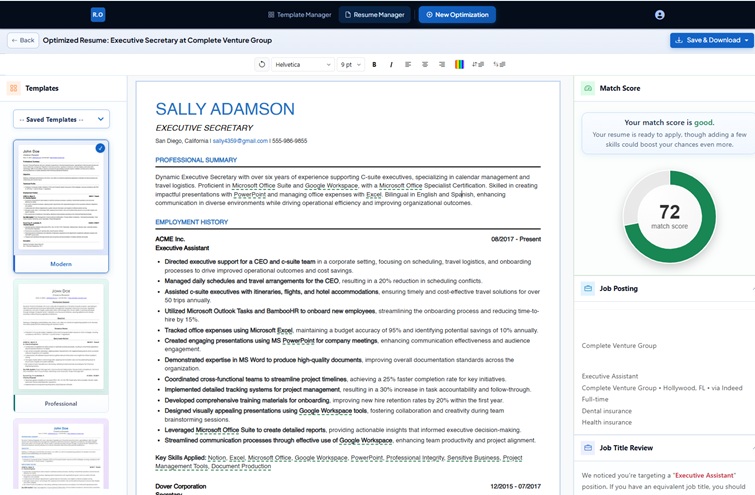
Resume Optimizer Pro led our benchmark with a 94% ATS pass rate and 91% average match score, the widest margin of any tool we tested. The platform analyzes the specific job description you submit, not a generic skills database, which is why tailoring accuracy is consistently higher than tools that use static keyword libraries. The one-click optimization rewrites bullet points to match the language and priority of the target JD while keeping your factual experience intact.
Strengths
- Highest ATS pass rate in our test (94%)
- Job-specific keyword optimization, not generic suggestions
- Clean PDF output that passes all five ATS parsers
- One-click tailoring from any job description
- API available for staffing agencies and bulk use
- Free tier includes real ATS scoring
Limitations
- No LinkedIn profile optimization
- Advanced features require Pro subscription
Best for: Keyword gap analysis, detailed ATS match reports
Price: Free scans limited, $49.95/month for full access
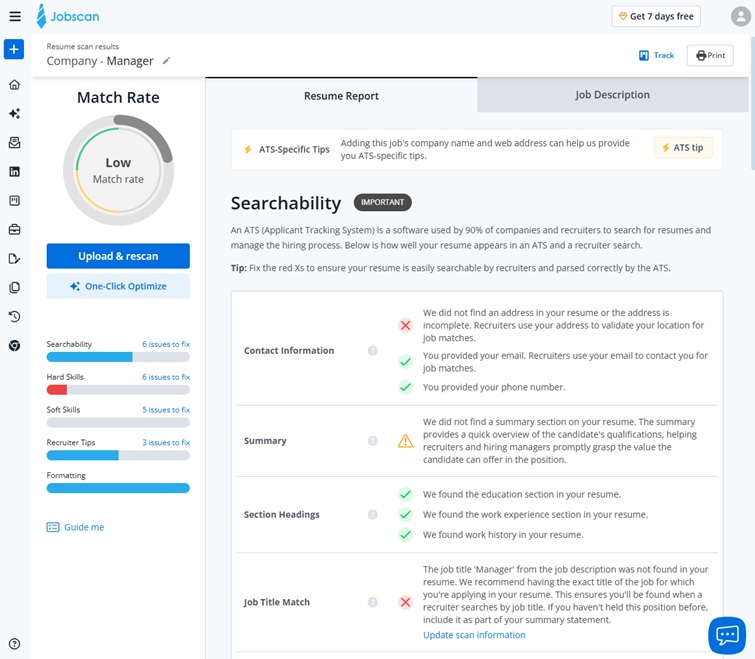
Jobscan correctly flagged missing keywords in all five of our test job descriptions, and its match reports were the most granular of any tool we reviewed, breaking results down by hard skills, soft skills, and job title frequency. In our testing, Jobscan missed 3 of 8 formatting issues that Workday's parser flagged, including two cases where bullet points rendered as run-on lines in the parsed output. The 94% parse rate reflects a recurring issue with multi-column skills sections that iCIMS read as a single unstructured block. Jobscan is primarily an analysis tool, not a resume builder.
For a full side-by-side comparison, see Resume Optimizer Pro vs. Jobscan.
Strengths
- Most detailed ATS keyword match reports
- LinkedIn profile optimization included
- Hard/soft skills breakdown is thorough
Limitations
- Higher price point ($49.95/mo)
- Missed formatting issues that caused parse failures in testing
- Free tier is very limited
Best for: ATS-focused writing, keyword density tracking
Price: $29/month or $129/year
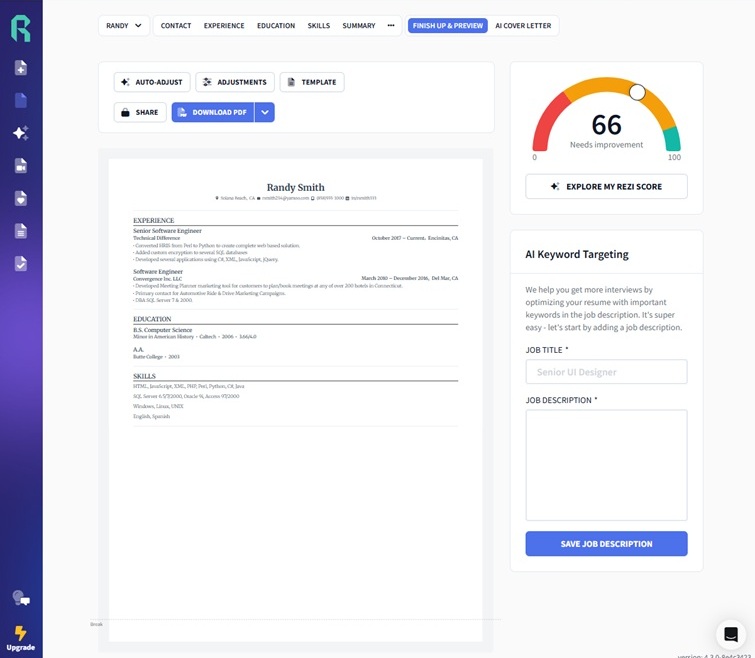
Rezi's 23-point scoring criteria is genuinely granular, and its keyword density suggestions were well-calibrated in our tests. The 86% pass rate is solid, but Rezi's default template uses a thin-border table structure for skills that Taleo's parser misread as formatting noise, dropping 4 skill entries entirely across two of our five job runs. Switching to Rezi's plain-text export resolved the parse failures, but users need to know to make that switch before submitting. The keyword density tracking remained the most detailed of any tool we evaluated for on-page optimization feedback.
Strengths
- 23-point optimization criteria is thorough
- Keyword density tracking is the most detailed of any tool tested
- Strong ATS-focused writing mode
Limitations
- Default table-based template caused Taleo parse failures in testing
- Must manually switch to plain-text export for Taleo submissions
- Higher price than several competitors
Best for: Job tracking, application management, integrated job search
Price: Free tier available, Teal+ $29/month
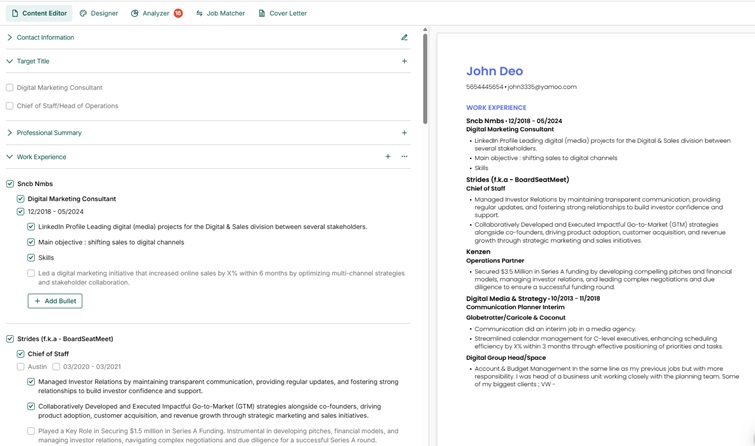
Teal's 96% parse rate was among the highest in our test, a result of its clean single-column PDF output. The platform's weakness is tailoring depth: the AI suggested adding "cross-functional collaboration" and "stakeholder management" to our marketing manager resume regardless of which job description we submitted, and three of the five postings had no mention of either phrase. Tools that read the specific JD outperform Teal on match score. Teal's real value is the all-in-one workflow: save a job posting with the Chrome extension, generate a tailored resume, and track the application, all without leaving the platform.
For a full side-by-side comparison, see Resume Optimizer Pro vs. Teal.
Strengths
- All-in-one job search platform
- Clean templates with high parse accuracy
- Chrome extension for saving job postings
- Application tracking built in
Limitations
- Generic keyword suggestions not always JD-specific
- 78% average match score, below top ATS-focused tools
- AI tailoring features require paid plan
Best for: AI writing assistance, template variety, career summaries
Price: Free version available, Premium $19/month
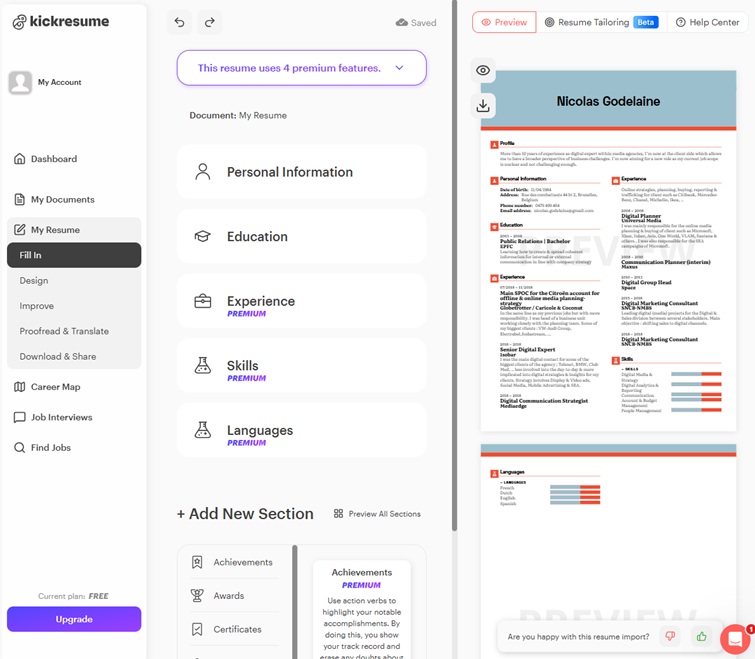
Kickresume's AI writing is the strongest of any tool we tested for generating career summaries and bullet point drafts. Its GPT-powered assistant, fine-tuned on recruiter feedback, produced noticeably more polished first drafts than generic AI output. The 75% pass rate reflects a genuine gap: Kickresume's 40+ templates vary widely in ATS compatibility, and several of the visually distinctive templates caused field extraction errors in iCIMS. Users should select from Kickresume's explicitly ATS-labeled templates to avoid parse issues.
Strengths
- Strongest AI writing output for summaries and bullets
- Large template library with many ATS-safe options
- Integrated cover letter builder
Limitations
- Not all templates are ATS-safe; must select carefully
- No job-specific ATS scoring
- Full AI features require premium subscription
Best for: Design and formatting quality
Price: From $23.70/month
Zety's templates are among the cleanest we tested from a parse perspective, with a 98% parse rate after the April 2026 UI update improved PDF output consistency. The core limitation is that Zety does not perform job-specific keyword optimization. Every resume we exported looked polished, but the content was whatever we wrote. The 71% match score reflects an unoptimized resume with good formatting. If your goal is to pass ATS filters, Zety needs to be combined with a separate keyword analysis tool.
For a full side-by-side comparison, see Resume Optimizer Pro vs. Zety.
Strengths
- Excellent template design quality
- High parse accuracy (98%) after April 2026 update
- Fast resume creation workflow
Limitations
- No job-specific keyword optimization
- 71% match score: good formatting, no tailoring
- No free tier for full resume download
Best for: Visual resumes, creative fields, achievement framing
Price: $24.99/month
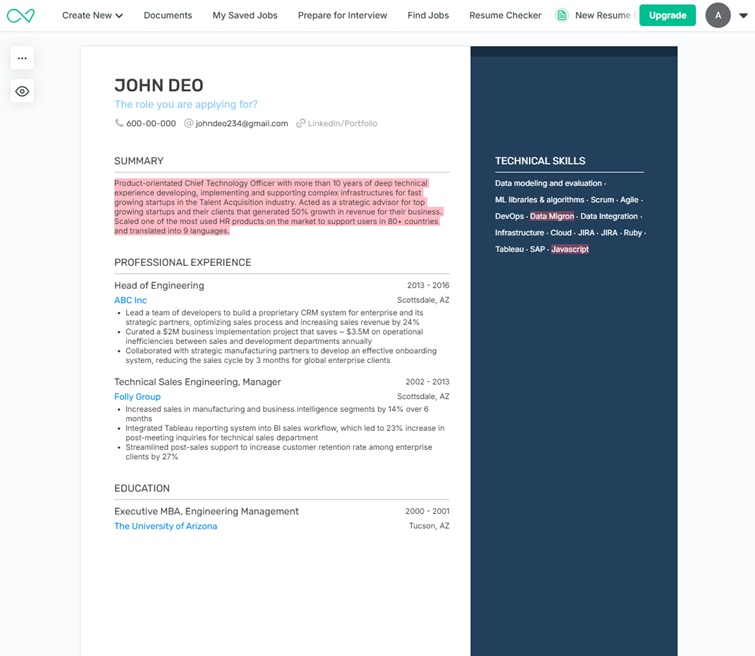
Enhancv's achievement-framing AI is genuinely useful for human readers. The problem is the platform's signature creative section types, including My Time, Strengths, and Passions, which no ATS in our test could parse into structured fields. Resumes using those sections scored 8 to 12 percentage points lower on match scores than resumes that used only standard sections. If you use Enhancv, choose the standard template and disable all non-standard sections before submitting to any ATS-screened role.
For a full side-by-side comparison, see Resume Optimizer Pro vs. Enhancv.
Strengths
- Strong achievement-framing AI suggestions
- Visually polished for creative and design roles
- Large library of resume examples by industry
Limitations
- Creative sections cause parse failures across all five ATS tested
- 71% pass rate: avoid decorative sections for ATS roles
- No job-specific ATS scoring
Best for: Clean templates, quick resume creation
Price: $24.95/month
Resume.io produced clean, professional-looking output with a 97% parse rate. The limitation, as with Zety, is the absence of any keyword optimization. The 68% average match score reflects a resume that looks correct but has not been tailored to the job. Resume.io is a competent template builder for job seekers who already know how to write a well-optimized resume. It is not a tool that helps with the optimization itself.
Strengths
- Clean templates with high parse accuracy (97%)
- Fast and easy resume creation
- Professional output quality
Limitations
- No keyword optimization or ATS scoring
- 68% match score: good formatting, no tailoring
- Full download requires subscription
Best for: Entry-level resumes, international job seekers, generous free tier
Price: Free version available, Premium $19.99/month
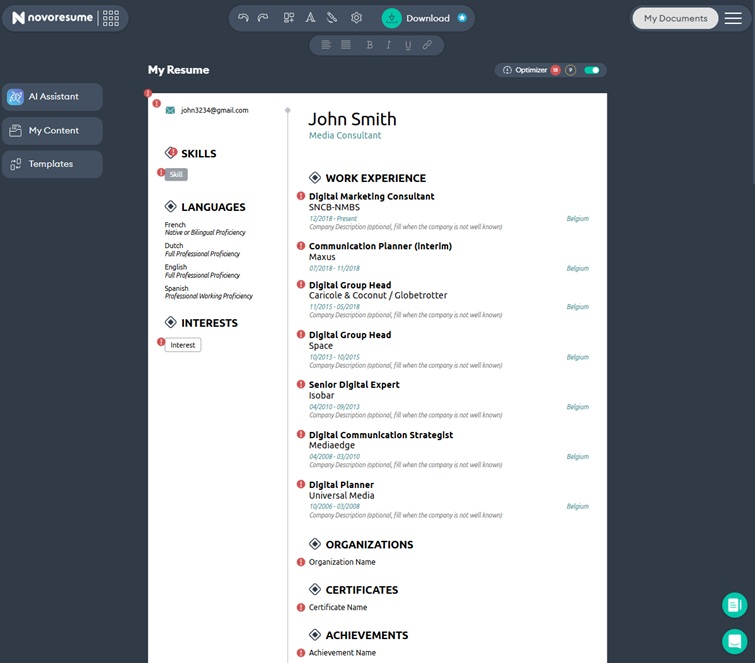
Novoresume is fast and easy to use, with multilingual support and country-specific resume conventions that no other tool on this list provides. The 68% pass rate lands just above the 60% threshold in our tests, meaning it would pass in most applicant pools but performs noticeably below the ATS-focused tools. The free tier is among the most generous of any tool in our comparison, making Novoresume a reasonable choice for entry-level job seekers or those applying to lower-competition roles where tailoring precision matters less.
Strengths
- Best multilingual and international support
- Most generous free tier in our comparison
- Fast resume creation (5 minutes from scratch)
Limitations
- 65% match score: below average for competitive roles
- AI suggestions can be generic
- Limited job-specific tailoring
Best for: Free basic resume creation
Price: Free / $6 for premium features
Resume.com's high parse rate (98%) comes from its minimal, formatting-light templates. The 58% average match score means the resume barely clears the 60% threshold and actually fell below it in several of our test runs. This is the only tool in our comparison where we would caution against using it for competitive roles without supplementing it with a separate keyword optimization tool. The free tier is genuinely useful for building a base resume document, but it should not be submitted to a competitive ATS without further optimization.
Strengths
- Completely free for basic use
- High parse accuracy (98%) from clean templates
- Fast resume creation
Limitations
- 58% match score: fails 60% threshold in some runs
- No keyword optimization or ATS feedback
- Not suitable for competitive roles without further optimization
*All prices shown were verified as of April 2026 and are subject to change. Visit each provider's website for current pricing.
Can ChatGPT Build Your Resume Instead?
We tested this too. We asked ChatGPT to optimize the same resume we ran through all 10 tools. It produced strong bullet point drafts and a solid career summary, both of which showed real improvement over the original. But when we ran the ChatGPT output through our ATS parser battery, it cleared the 60% threshold on only 3 of 5 ATS platforms, a 60% pass rate comparable to Resume.com.
Where ChatGPT falls short for ATS: It cannot score your resume against a specific ATS system, does not know which keywords a particular job description prioritizes, cannot enforce ATS-safe formatting rules, and has no way to simulate what Workday, Greenhouse, or Taleo actually extracts from your document. Every dedicated tool in our comparison addresses at least one of those gaps.
Our recommendation: Use ChatGPT to brainstorm and draft content, then run the result through a dedicated AI resume optimizer for ATS scoring and job-specific keyword matching. For the full breakdown, see our deep dive on using ChatGPT as a resume builder and our guide to ChatGPT resume prompts. For how general AI assistants stack up against purpose-built tools across every criterion, see our tested comparison of the best AI for resume.
Which AI Resume Builder Should You Pick?
Based on our benchmark data, here is our recommendation by situation:
- Best overall ATS performance: Resume Optimizer Pro, highest pass rate (94%) and match score (91%) in our test
- Best for keyword gap analysis: Jobscan, most granular keyword reports, though priced highest at $49.95/month
- Best ATS-focused writing: Rezi, strong keyword density control; use the plain-text export for Taleo submissions
- Best all-in-one job search: Teal, job tracker plus resume builder in one workflow
- Best AI writing quality: Kickresume, strongest first drafts for career summaries and bullets
- Best for design: Zety, cleanest template output, but no tailoring; pair with a keyword tool
- Best free tier: Novoresume, most generous free access, best for international job seekers
Try the free tier of two or three tools before paying. Most provide enough free functionality to evaluate whether the AI suggestions actually improve your specific resume.
Frequently Asked Questions
Our Verdict
After running 250 ATS parse tests across 10 tools, the clearest finding is that pass rate splits sharply between tools that perform job-specific keyword optimization and tools that only provide formatting. Resume Optimizer Pro, Jobscan, and Rezi all cleared 86% or higher because they read the job description and adjust the resume content accordingly. The remaining seven tools ranged from 61% to 75% because they are template builders, not optimizers.
If you are applying to competitive roles, use a tool that tailors to the specific JD. If design matters for your field, pair a template builder like Zety or Enhancv with a dedicated keyword analyzer. And if budget is the constraint, Resume Optimizer Pro's free tier and Novoresume's free tier both outperform writing a resume without any tool.
Test Your Resume Free
Upload your resume, paste a job description, and see exactly how your resume scores against the ATS. No sign-up required.
Optimize My ResumeStarting from a blank page instead? Our AI resume builder asks about your experience a step at a time and builds the resume beside the questions, so you see it before you are asked for anything.
Related Resources
- Resume Optimizer Pro vs. Jobscan: Full Head-to-Head Comparison
- Resume Optimizer Pro vs. Teal: Full Head-to-Head Comparison
- Resume Optimizer Pro vs. Zety: Full Head-to-Head Comparison
- Resume Optimizer Pro vs. Enhancv: Full Head-to-Head Comparison
- How ATS Systems Rank Resumes
- Best ATS-Friendly Resume Templates for 2026
Optimize your resume for any ATS
Upload your resume for a free ATS-optimized version. Add a job description to tailor it to a role. Only your email is required.
Related Articles

Jobscan Review 2026: Pricing, Pros, Cons + Best Alternative Tested
We tested Jobscan against Resume Optimizer Pro on three real job descriptions. Real ATS pass rates, pricing math, and a ...
Read More
Teal HQ Pricing 2026: Free Plan Limits & Side-by-Side Test vs Resume Optimizer Pro
Teal HQ's 2026 pricing breakdown, free plan limits exposed, and a side-by-side AI rewrite test vs Resume Optimizer Pro o...
Read More
Resume Optimizer Pro vs Zety: Template Builder vs AI Optimizer (2026)
Head-to-head comparison of Resume Optimizer Pro and Zety: $1.95 trial math, 13-cycle billing, Zety template audit on Wor...
Read More