Most job seekers spend hours on their resume and treat the cover letter as an afterthought, or skip it entirely when it is optional. The data shows this is a mistake: 94% of hiring managers say cover letters influence their hiring decisions, and 45% of them read the cover letter before the resume (Resume Genius / hiring manager survey, 2025). A matching template set makes both documents look intentional, not assembled from whatever files you had on your desktop.
Why Your Cover Letter and Resume Should Match
A matching set means both documents use the same font family, the same font size for body text, the same margin widths, and the same header/contact block styling. This is not an aesthetic preference. Hiring managers reviewing a stack of applications use visual coherence as a proxy for professionalism and attention to detail.
According to the Microsoft Word Blog's 2025 formatting guidance, the recommended matching elements are: same font family, same font size, same header/contact block style, and same margin widths throughout. When the cover letter looks like it was formatted in Calibri and the resume in Times New Roman with different spacing, the mismatch signals a lack of intentionality.
There is also an ATS consideration most guides miss entirely: many ATS systems scan cover letters for keywords just as they scan resumes. Using consistent terminology across both documents reinforces your keyword signals. If your resume says "demand generation" and your cover letter says "lead generation," a system that ranks keyword frequency may weight your application lower on either term than if both documents consistently used the same phrase.
What Goes in a Cover Letter vs. What Goes in a Resume
The most common cover letter mistake is rewriting the resume in paragraph form. A cover letter should not duplicate your resume content. The two documents serve different purposes and should complement each other.
Resume vs. Cover Letter: What Goes Where
| Information Type | Resume | Cover Letter |
|---|---|---|
| Work history (roles, dates, employers) | Yes | Reference only if essential |
| Quantified achievements | Yes (all) | 1–2 most relevant examples only |
| Skills and tools list | Yes | No (let the resume carry this) |
| Why you want this specific role | No | Yes |
| Why you want this specific company | No | Yes |
| How your background connects to this role | Implied by experience section | Explicitly stated |
| Career change context or gap explanation | No | Yes |
| Referral mention | No | First sentence |
| Salary expectations | No | Only if requested |
Free Matching Cover Letter and Resume Templates
Both templates below use the same formatting specifications: Calibri 11pt, 1-inch margins, contact header at the top of each document, and consistent section separator styling. This creates the visual coherence that signals a professional, intentional application.
Matching Resume Template
FIRST NAME LAST NAME
City, State | (555) 000-0000 | email@domain.com | linkedin.com/in/yourprofile
PROFESSIONAL SUMMARY
[2–3 sentence overview of your specialization, key credential, and career direction]
EXPERIENCE
- [Action verb + what you did + quantified result]
- [Action verb + scope + impact]
EDUCATION
Degree, Major | University Name | Year
SKILLS
[Skill category 1]: specific tool, specific tool, specific tool
[Skill category 2]: specific tool, specific tool, specific tool
Matching Cover Letter Template
FIRST NAME LAST NAME
City, State | (555) 000-0000 | email@domain.com | linkedin.com/in/yourprofile
[Date]
[Hiring Manager Name or "Hiring Manager"]
[Company Name]
[Company Address (optional)]
Dear [Hiring Manager Name or "Hiring Manager"],
[Opening paragraph — 2–3 sentences]: State the specific role you are applying for, where you found it, and your strongest qualification or connection to the company. If you have a referral, name the person here.
Example: "I am applying for the Marketing Manager position at Acme Corp posted on LinkedIn. With 6 years managing B2B demand generation programs at SaaS companies and a track record of reducing CPL by 30% or more through audience segmentation, I believe my background aligns well with what your team is building."
[Body paragraph — 3–4 sentences]: Expand on 1–2 specific achievements from your resume that are most relevant to this role. Connect them to what the company is trying to accomplish. Reference something specific about the company or role that is not generic.
Example: "In my most recent role at TechCo, I scaled our Google Ads program from $50K to $200K monthly spend while maintaining a 3.8x ROAS, and built the email nurture sequence that generated $1.2M in influenced pipeline over two quarters. I am particularly interested in Acme's recent expansion into the enterprise segment, as this is exactly where I have focused my most recent campaigns."
[Closing paragraph — 2–3 sentences]: Express genuine interest, request a conversation, and include a professional sign-off.
Example: "I would welcome the opportunity to discuss how my experience in demand generation could help Acme accelerate its enterprise pipeline. Thank you for your time and consideration."
Sincerely,
First Name Last Name
Notice that the header block on both documents is identical: same name formatting, same contact line, same font. This is the visual matching signal. Everything below the header follows the same font, size, and spacing rules.
Cover Letter Format: Structure and Length
Standard cover letter length is 200 to 500 words, roughly half a page to one full page (Columbia SIPA, Stanford CDC, multiple university career centers). The three-paragraph structure maps directly to the template above:
- Paragraph 1 (Opening): Role you are applying for, your strongest relevant credential or connection, referral if applicable. Keep this to 2–3 sentences.
- Paragraph 2 (Body): Your 1–2 most relevant achievements, connected to what the company is doing. Specific numbers, not generic claims. Demonstrate that you researched the company.
- Paragraph 3 (Closing): Request for a conversation, genuine interest statement, professional sign-off.
According to Resume Genius (2025), 60% of hiring managers spend up to two minutes or more reading cover letters. A cover letter over 500 words wastes that time and signals poor judgment about what matters to the reader. Cut anything that does not directly support your case for this specific role.
How to Customize a Matching Template in Word Without Breaking Formatting
Font mismatches are the most common result of editing a downloaded template without understanding how Word's style system works. Follow these steps to maintain consistency across both documents.
- Open both files in the same Word session. This allows you to compare formatting settings side by side. File > Open > select both documents.
- Enable editing on both. Click "Enable Editing" on the yellow Protected View banner in both files before making any changes.
- Update the header block in both documents first. Your name and contact information appear at the top of both the resume and the cover letter. Edit this block consistently in both files before touching anything else. This ensures the most visible matching element is correct.
- Check that both files use the same named font. Select all text (Ctrl+A) in each document. The font name shown in the toolbar should be identical in both files (e.g., "Calibri" in both, not "Calibri" in one and "(Body)" in the other). If one shows "(Body)" or "(Heading)," you are using a theme font that may display differently on other computers. Fix this by explicitly setting the font to the same named font used in the other document.
- Replace placeholder text by triple-clicking to select the full paragraph. This preserves the underlying paragraph style. If you delete character by character or paste unformatted text, you may introduce hidden formatting that creates inconsistencies.
- Export both as .docx for ATS portals. Plain DOCX has a 4% ATS failure rate vs. 18% for PDF (EDLIGO, 2025). If you are emailing directly to a named contact who will print the document, PDF is acceptable. For online portals, always use .docx.
ATS Rules for Cover Letters
Cover letters are treated as separate documents by most ATS systems, but many systems do scan them for keywords. The same formatting rules that protect your resume also apply to your cover letter:
- Plain text formatting only. No tables, no text boxes, no graphics.
- Include role-specific keywords from the job posting. If the posting mentions "cross-functional collaboration," use that exact phrase in your cover letter body. This reinforces your keyword signals across both submitted documents.
- Use DOCX format. Same 4% vs. 18% failure rate applies to cover letter documents submitted through portals.
- Match the job title exactly. Jobscan's 2025 analysis of 2.5 million applications found that candidates were 10.6 times more likely to receive an interview when their job title exactly matched the posting. State the exact job title in your opening paragraph.
When to Write a Cover Letter (and When to Skip It)
Always write a cover letter when:
- The posting explicitly requires one
- You are applying via a referral (name the referral source in the first sentence)
- You are changing careers or have an employment gap to contextualize
- You are applying to a senior or director-level role where motivation and strategic alignment matter
- The company is small or the role description reads as personal (founder-written JDs often expect genuine engagement)
Cover letter is lower priority when:
- You are applying via a job board "quick apply" with no cover letter field
- The application is high-volume and automated (staffing agency submissions, mass postings)
- A recruiter is submitting your resume directly on your behalf
Optimize Both Documents Before You Apply
Including a cover letter increases your chances of landing an interview by approximately 50% (various hiring manager surveys, 2025), but only if both documents are optimized for the specific role. Resume Optimizer Pro analyzes your resume against the job description and shows you exactly which keywords are missing before you submit.
Related Articles
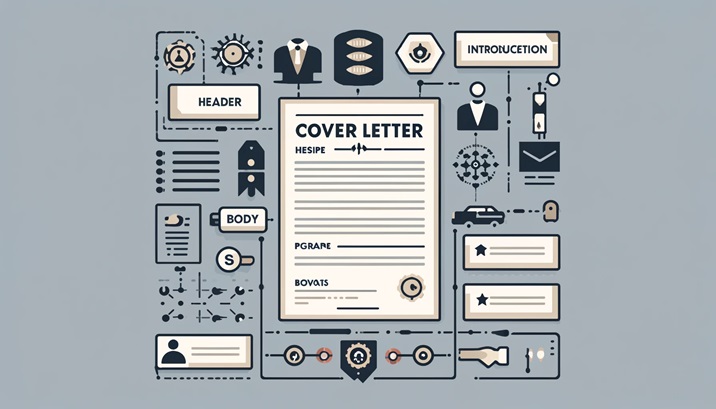
Cover Letter Format: The Exact Structure That Gets Read in 2026
The correct cover letter format: 7 elements in order, ATS rules, font and margin specs, industry variations, and a compl...
Read More
Cover Letter Examples: 4 Full Samples That Get Callbacks (2026)
Four complete, copy-paste cover letter examples for experienced, career-change, entry-level, and promotion scenarios. Ta...
Read More
How to Write a Cover Letter in 2026: Step-by-Step Guide
A data-backed, 4-paragraph framework for writing a cover letter that gets read in 47 seconds. Opening lines, proof parag...
Read More