The best resume templates for 2026 are not the prettiest ones; they are the ones a parser can read. Below: eight free single-column .docx templates, the formatting checklist every one of them follows, what our free ATS checker found in 3,382 real resume uploads, and the format choices that actually move the needle this year. You can also download any of our free ATS resume templates directly as Word files.
What is an ATS-Friendly Resume Template?
An ATS-friendly resume template is specifically designed to be easily read and parsed by Applicant Tracking Systems. These templates use clean formatting, standard fonts, and simple layouts that ATS software can accurately scan and extract information from.
Unlike fancy resume templates with graphics, columns, or creative designs, ATS-friendly templates prioritize machine readability over visual flair. The result? Your qualifications actually make it through automated screening to reach hiring managers.
An ATS-friendly resume template and an ATS-friendly CV template refer to the same document type; the rules don't change between US and UK/EU usage.
Why ATS-Friendly Templates Matter in 2026
Applicant tracking systems sit in front of almost all large-employer hiring: Jobscan detected an ATS on the careers sites of 97.4% of Fortune 500 companies in 2026, 487 of 500 (Jobscan, Fortune 500 ATS report, 2026). Choosing the right template is more critical than ever for these reasons:
- One layout has to work everywhere. You rarely know which ATS an employer runs, so a template has to extract cleanly on all of them, not just one.
- ATS rejection is silent. Candidates rarely learn whether they were filtered out for content or for formatting; the application status simply stays "Under Review."
- Human reviewers see only top-ranked candidates. If the parser misreads sections, ranking drops, and the resume never surfaces in the recruiter's queue.
- Side-by-side columns still trip up parsing. A column layout can land two unrelated pieces of content on the same extracted line, the single most common formatting problem we see in practice (full data below).
- Recruiter dwell time is short. Even when a resume passes the parser, recruiters spend an average of six seconds on the first review (TheLadders eye-tracking study, 30 recruiters, 2012, still the most-cited benchmark). Layout and section ordering decide what they see in those seconds.
The bottom line: a template choice can decide whether qualifications reach a human before the application status ever updates.
ATS-Friendly Resume Best Practices for 2026
Before downloading anything, fix the formatting. The best resume templates for 2026 all share the same parser-safe rules, and a clean rule set matters more than which design you pick. Here is the checklist we apply to every template on this page, with the reason the parser needs each one. Run through it before you submit, then confirm the result with our free ATS resume checker.
- Single-column layout. Parsers read top to bottom, left to right. A second column can put your job titles and your skills on the same extracted line, scrambling both; in our checker data it was the most common problem, showing up in 59% of first uploads. Single column keeps the reading order linear.
- Standard section headings. Use "Work Experience," "Education," "Skills," "Summary," "Certifications." The parser maps these exact labels to database fields. "My Journey" or "What I Bring" maps to nothing and the content underneath gets dropped.
- Avoid icon-based contact rows. Templates that render a phone or email icon as a special font glyph can have that glyph extracted as a stray character or dropped outright. Use plain text labels ("Phone:", "Email:") instead of icon fonts.
- Contact details in the main body. Placing your name, phone, email, and location as the first lines of the document body, rather than in a header or footer region, is the safest default: your contact details then sit in the same text stream as the rest of the resume, so nothing depends on a parser capturing a separate region.
- Submit as .docx or a text-based PDF. An image-only or scanned file has no text layer for a parser to read; 1.7% of first uploads to our checker returned no readable text at all, which is exactly what such a file produces. If you use PDF, export it from Word or Google Docs rather than a design tool.
- Standard fonts at 10 to 12pt body. Arial, Calibri, Georgia, Times New Roman, and Cambria render identically across parsers. Decorative or embedded fonts can drop to placeholder glyphs that the parser reads as noise.
- Simple bullets only. Round bullets or hyphens parse cleanly; custom icons and Unicode symbols can break the bullet into stray characters on stricter parsers like Taleo.
- Consistent date format. Use one format throughout, such as "Jan 2024 to Mar 2026." Parsers use dates to calculate tenure and flag gaps; mixed formats produce misread employment periods.
- No graphics, logos, charts, or photos. The parser cannot read an image. Anything embedded as a picture becomes a blank gap, and a skills bar chart contributes zero matchable keywords.
- Spell out acronyms once. Write "Project Management Professional (PMP)" on first use. Different parsers index different forms, so including both maximizes keyword matches. For more on this, see our ATS resume score guide.
Download Free ATS-Friendly Resume Templates
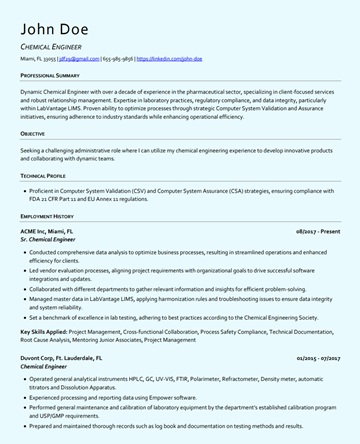
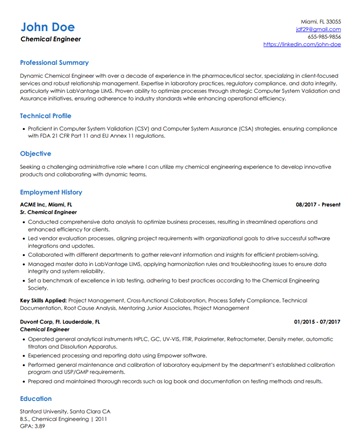
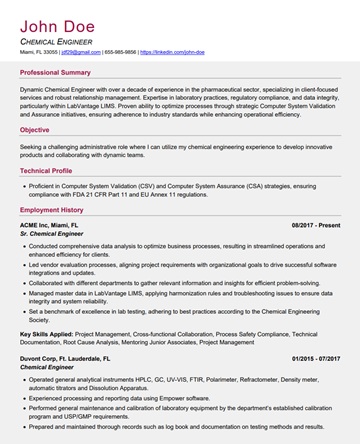
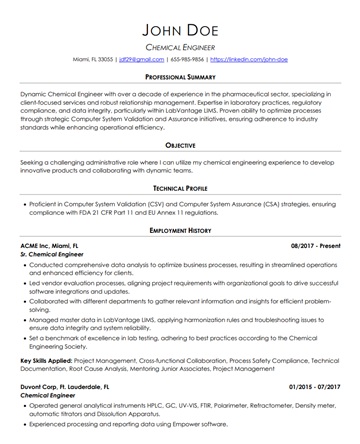
We created 8 free resume templates. Every template is a .docx file with a single-column layout, standard fonts, and standard section headings, following the checklist above.
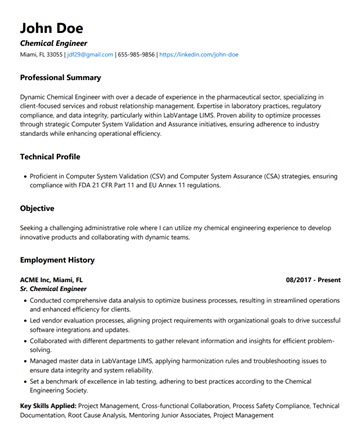
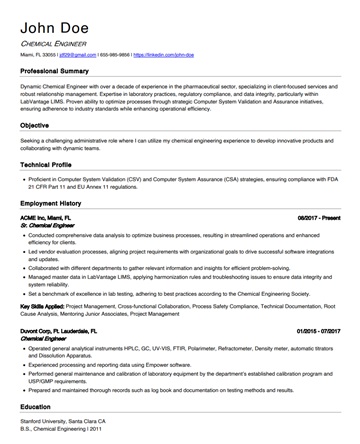
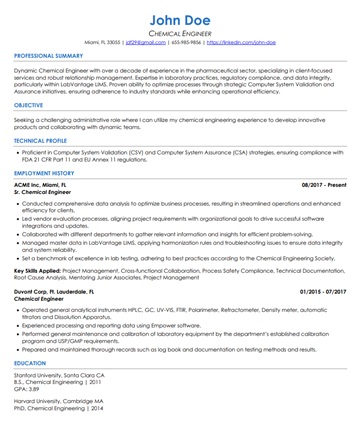
Traditional / Chronological
Best for steady career paths, no major gaps. Standard reverse-chronological layout.
Senior / Executive
Designed for leadership roles, consulting, and senior professionals. Two-page friendly.
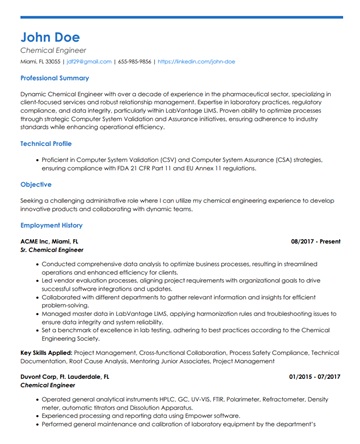
Creative / Modern Style
Subtle styling for tech, design, marketing, and startup roles. ATS-safe with visual polish.
Career Changers / Hybrid Format
Skills summary up front with full work history. Ideal for career transitions and non-linear paths.
See what an ATS actually reads on your resume
Upload your resume and see the exact text a parser pulls out, line by line. We fix the formatting automatically.
Best Resume Templates 2026 at a Glance
One table to match a template to your situation. Every entry is single-column .docx, so the format column shows the content order each design is tuned for.
| Template | Best for | Format |
|---|---|---|
| Classic | Traditional industries, steady history | Reverse-chronological |
| Modern | General use, tech, unknown ATS | Reverse-chronological |
| Compact | Dense histories that must stay one page | Reverse-chronological |
| Professional | Career changers, non-linear paths | Hybrid (skills-first) |
| Accent / Contemporary | Marketing, design, startup roles | Reverse-chronological, light color |
For how these formats differ structurally, see resume formats explained, and for the Workday-specific rules, our Workday resume format guide.
How to Pick a Template in 60 Seconds
A short decision flow:
- Steady history, or not sure which to pick? Classic or Modern.
- Dense history that has to fit on one page? Compact.
- Senior or executive role, two-page resume? Signature Edition.
- Career changer or hybrid background? Professional Edition.
- Creative or marketing role with light visual polish allowed? Accent or Contemporary, both ATS-safe with subtle color.
How to Choose the Right ATS-Friendly Template
Not all ATS-friendly templates are created equal. Here's how to select the best one for your situation:
Consider Your Industry
Traditional industries (finance, law, healthcare): Stick with Classic Chronological or Signature templates. For consulting and investment banking specifically, the Harvard resume template is the expected standard. These industries value conservatism and proven track records.
Tech and startups: Modern Professional or Technical templates work well. These industries appreciate clean, contemporary design. To see which contemporary design choices still parse, see our guide to modern resume design.
Government/Public sector: Use the Federal Resume Template for government jobs or Classic Chronological for general public sector positions.
Match Your Career Stage
- Entry-level/Recent graduates: Entry-Level Graduate Template emphasizes education and potential
- Mid-career (5-15 years): Modern Professional or Hybrid templates showcase growing expertise
- Senior/Executive (15+ years): Signature template handles extensive experience
Address Your Unique Situation
- Employment gaps: Skills-Based Functional or Hybrid templates de-emphasize chronology
- Career change: Career Change Template highlights transferable skills
- Frequent job changes: Functional or Hybrid templates focus on skills over job-hopping
Test for ATS Compatibility
Before using any template, test it with an ATS resume checker. Resume Optimizer Pro's free checker shows you the plain text a parser pulls out of your file, so you can spot merged lines or missing sections before you apply. See our comparison of free ATS resume checkers if you want to evaluate multiple tools.
Common ATS Template Mistakes to Avoid
Even with an ATS-friendly template, these common mistakes can still undo it:
Image-Only or Scanned Files
A flattened image or a scanned PDF has zero extractable text. Of first uploads to our checker, 1.7% returned no readable text at all, the result such a file produces. Export a native, text-based .docx or PDF instead.
Creative Headings
"My Awesome Skills" won't be recognized. Use standard headings: "Skills," "Work Experience," "Education."
Multiple Columns
Two or three-column layouts can merge unrelated content onto one extracted line. A single-column format keeps the reading order intact.
Contact Info in a Header or Footer
Put your name, phone, email, and location in the first lines of the main body instead, so they sit in the same text stream as the rest of your resume.
Special Characters
Fancy bullets, symbols, or icons may not transfer. Use standard bullets (•) or simple hyphens (-).
Uncommon Fonts
Decorative or custom fonts won't render correctly. Stick with Arial, Calibri, Georgia, or Times New Roman.
Optimizing Your ATS-Friendly Template for Maximum Success
Having an ATS-friendly template is just the first step. For a full breakdown of the content and keyword strategies that work alongside a clean template, see our ATS-friendly resume tips guide. Here's how to optimize it for maximum impact:
1. Tailor Keywords for Each Application
ATS systems rank resumes based on keyword matches with the job description. Use our resume optimizer to automatically identify and integrate relevant keywords from each job description.
2. Include Both Acronyms and Full Terms
Write "Search Engine Optimization (SEO)" instead of just "SEO." Different ATS systems search for different variations.
3. Use Standard Job Titles
If your official title was "Sales Ninja," use "Sales Representative" or "Account Executive." ATS searches for standard industry titles.
4. Quantify Achievements
Numbers and metrics boost your ATS score: "Increased sales by 34%" ranks higher than "Improved sales performance."
5. List Skills Explicitly
Don't assume the ATS will extract skills from context. Include a dedicated "Skills" section with hard skills, software, and certifications.
6. Save in the Right Format
Unless specified otherwise, submit as .docx. If PDF is requested, ensure it's a text-based PDF (not a scanned image).
Current ATS Resume Trends for 2026
ATS technology and recruiter expectations are evolving fast. Here's what's actually changing in 2026 and how to adapt your resume accordingly:
1. Skills-First Is the Dominant Trend
The biggest shift in 2026 is the continued move from title-based to skills-based screening. LinkedIn's Future of Recruiting report found recruiters were 25% more likely to search for candidates by skills than three years earlier, and 50% more likely to search by skills than by years of experience (LinkedIn, The Future of Recruiting, 2023). The Skills section is no longer optional.
2. AI-Enhanced Parsing Raises the Bar
Major ATS vendors now market AI features for matching and ranking candidates. Whatever does the matching works from the text the parser extracted, so the basics matter more, not less. For layouts chosen specifically with AI-assisted screening in mind, see our guide to the best resume template for AI screening.
Current best practice: Use consistent job title formatting, write in complete sentences (not fragments), and include both acronyms and full terms, e.g., "Search Engine Optimization (SEO)" rather than just "SEO."
3. Semantic Keyword Matching Rewards Context
Some matching tools now recognize synonyms and related terms, so "Client Relations Manager" may partially match "Customer Success Manager." You cannot know which tool an employer uses, though, so the safe practice is to mirror the exact language used in the job description rather than rely on the software to figure out equivalents.
4. Single-Column Layouts Are Making a Comeback
Two-column templates look polished, but they are the layout most likely to produce merged lines when a parser flattens the page into text, the most common problem in our checker data. Single-column formats avoid it entirely. If you've been using a two-column template, switching to single-column is one of the highest-impact changes you can make.
5. Quantified Achievements Now Outrank Duties
Recruiters look for results, not job descriptions. Bullet points with numbers (%, $, X times, X years) give every reader, human or software, a concrete outcome to weigh against the role. Aim for most of your work experience bullets to include a measurable result.
Best Resume Formats for 2026: ATS Compatibility Guide
Choosing the right resume format is as important as choosing the right template. Here's how the three main formats perform with ATS systems in 2026:
| Format | ATS Compatibility | Best For | 2026 Trend |
|---|---|---|---|
| Chronological | Excellent ✅ | Steady career progression, traditional industries | Still #1 preferred format |
| Hybrid / Combination | Good ✅ | Mid-career, diverse skill sets, career changers | Growing in popularity for tech roles |
| Functional / Skills-Based | Moderate ⚠️ | Employment gaps, major career pivots | Declining, ATS often penalizes missing dates |
Chronological Format: Still the ATS Gold Standard
The reverse-chronological format remains the most ATS-compatible option in 2026. It lists your most recent experience first, uses clearly dated entries, and follows a structure ATS systems are specifically trained to parse. For most job seekers, this is the safest and most effective choice.
- Structure: Summary → Work Experience (newest first) → Education → Skills → Certifications
- ATS score impact: Highest, ATS can accurately calculate tenure, identify career progression, and match keywords in context
- Best for: Anyone with continuous work history in the same or adjacent fields
Hybrid Format: Best for Skills-Based Screening
The hybrid format leads with a strong Skills or Core Competencies section before the chronological work history. In 2026, this aligns perfectly with the shift toward skills-based ATS filtering. It lets ATS systems find your key skills immediately while still providing the full work history they need to score tenure and progression.
- Structure: Summary → Core Skills → Work Experience → Education → Certifications
- ATS score impact: High, skills section is parsed first, boosting keyword match rates
- Best for: Tech professionals, career changers, anyone with a strong, diverse skill set
Functional Format: Use With Caution in 2026
Functional resumes de-emphasize dates and job history in favor of skill groupings. While useful for hiding gaps, many ATS systems in 2026 specifically penalize resumes that lack clearly dated work entries, some will even auto-reject them. If you have gaps or are changing careers, the Hybrid format is a safer alternative.
- ATS score impact: Moderate to low, missing dates and non-standard structure reduces ATS score
- When to use: Only when gaps are severe and you're applying to companies that use older ATS platforms
Content Best Practices: What Goes Inside the Template
The checklist above handles formatting. These four practices handle the content, the half of an ATS match no template can supply:
Mirror Job Description Language
Copy exact phrases from the job description into your resume. If they say "cross-functional collaboration," use that phrase, not "team coordination." ATS keyword matching is often literal.
Use a Dedicated Skills Section
Don't rely on ATS to extract skills from job descriptions. List them explicitly. Group by category: Technical Skills, Tools & Platforms, Certifications, Languages.
Quantify Everything
Numbers boost both ATS scores and recruiter interest. "Reduced costs by 23%" scores significantly higher than "reduced costs." Aim for metrics in at least 60-70% of your bullet points.
Test Before You Submit
Run your resume through an ATS checker like Resume Optimizer Pro's free score checker before applying. Identify missing keywords and formatting issues before they cost you the interview.
Free ATS CV Template Download: UK, European, and Academic Formats
If the posting says CV rather than resume, the ATS on the other end is usually the same software, but the document you send is not. The eight templates above download as .docx files that work for both, though what you keep and what you cut changes with the format. Every template on this page is free to download with no account, no email gate, and no watermark, in CV form or resume form.
The confusion is worth clearing up, because sending the wrong document is a fast rejection. In the United States, CV means an academic or medical document that runs long and lists publications, grants, teaching, and presentations in full. In the United Kingdom, Ireland, and most of Europe, CV simply means what Americans call a resume: a two-page career summary. Both go through the same parsers, so the single-column, standard-heading rules on this page apply either way.
Use the Classic or Professional template unchanged. Two pages is standard and expected, unlike a US resume. Keep the heading "Personal Statement" or "Profile" instead of "Summary," and add an "Education" block above "Experience" if you graduated within three years. Do not add a photo, date of birth, marital status, or nationality: UK and Irish employers screen those out for discrimination-compliance reasons, and parsers frequently mangle the image block anyway. Some continental European employers still expect a photo, so follow the posting.
Use the Signature template, which is built to run past one page cleanly. An academic CV has no length limit and is organized by category rather than by recency: Education, Research, Publications, Presentations, Teaching, Grants and Funding, Service, and References. Keep every entry as plain text in a single column. Publication lists are where parsers break most often, so avoid hanging indents, numbered auto-lists, and citation-manager fields, all of which can flatten into unreadable strings.
Use the Signature template and add licensure and certification blocks near the top, because credential screening usually happens before anyone reads your experience. Spell out each credential on first use, for example "Doctor of Osteopathic Medicine (DO)" or "Basic Life Support (BLS)," so both the recruiter and the parser catch it. List state licenses with the state and status, and keep dates in a consistent Month Year format throughout.
If you want CV-specific designs rather than these resume templates adapted, our dedicated ATS CV templates page has four CV-first layouts including UK and Word versions. For the underlying distinction see resume vs CV, and for the long-form academic document see our academic CV guide and Overleaf CV template. If you are applying across both US and UK markets, keep two versions of the same file rather than trying to make one document serve both.
Can a Template Really Give You a 100% ATS Score?
A template can score 100% on the parts of an ATS score a template controls, and no template can score 100% on the rest. That distinction matters, because "100% ATS score resume template, free download" is one of the most searched phrasings in this category and almost every page answering it is selling something.
An ATS score has two halves. The first is parse quality: can the software read your file, find your name, contact details, job titles, dates, employers, education, and skills, and drop each into the right database field without scrambling? That half is entirely a function of file format, layout, headings, and fonts, which is exactly what a template controls. A clean single-column template removes formatting as a failure mode, and you can confirm that for your own file by checking the text a parser extracts from it.
The second half is match quality: how well your actual content lines up with this specific job description. Does your resume contain the skills, titles, tools, and years of experience the posting asks for, in language close enough for the system to match? No downloadable file can score that in advance, because the answer changes with every job you apply to. Any page promising a template that guarantees a 100% ATS score for every application is describing something that cannot exist.
One practical consequence: if you are being rejected instantly across many applications, the cause is usually match, not parsing, once you are on a clean single-column template. Formatting problems tend to produce garbled profiles and odd field errors rather than uniform silence. Our guide to what an ATS resume score actually measures breaks the scoring down further, and what counts as a good score covers the thresholds.
Resume Format 2026 vs Resume Template 2026: What Actually Changed
These two phrases get used interchangeably and they are not the same thing. Your format is the structural decision: reverse-chronological, functional, or hybrid, and how your sections are ordered. Your template is the file that implements that decision, including fonts, margins, spacing, and headings. Picking the right format and then pouring it into a parser-hostile template is the most common way people lose applications they were qualified for.
Very little about the underlying rules changed going into 2026, and that is the honest answer most listicles avoid. Reverse-chronological is still the format the overwhelming majority of employers and parsers expect. What has shifted is the tolerance for design: as more employers layer AI-assisted screening on top of keyword matching, the penalty for a creative multi-column layout has grown, because a document that parses cleanly also summarizes cleanly. The visual resume trend of the late 2010s has not aged well inside automated pipelines.
| Decision | 2026 default | When to deviate |
|---|---|---|
| Format | Reverse-chronological | Hybrid if you are changing careers and need skills above history. Avoid purely functional formats: parsers and recruiters both read them as gap-hiding. |
| Columns | Single column | Never for an ATS submission. Use two columns only for a version you hand to a person directly. |
| File type | .docx | PDF when the posting explicitly asks for it or when you are emailing a human. Never .pages, .odt, or an image. |
| Length | One page under 10 years of experience, two pages above | Three or more pages for academic, medical, and federal documents, where completeness beats brevity. |
| Section headings | Standard labels: Experience, Education, Skills | Never. Creative headings like "Where I've Made an Impact" are the single most common cause of a section being dropped entirely. |
| Dates | Month Year, consistent throughout | Never mix formats. Inconsistent dates are a leading cause of miscalculated total experience. |
The practical takeaway: pick your format first from the three options, then take the template on this page that implements it. Our deep dives on ATS resume format, the hybrid resume format, and the functional resume format cover the structural choice, and how long a resume should be settles the length question by experience level.
If you are starting without a resume to work from, our free AI resume builder turns a short interview about your experience into an ATS-friendly draft, with no account needed to begin.
Frequently Asked Questions
Conclusion: Your ATS-Friendly Template Action Plan
In 2026's competitive job market, an ATS-friendly resume template is your ticket past automated screening. Here's your action plan:
- Choose the right template based on your industry, career stage, and situation
- Customize content for each application with relevant keywords
- Test ATS compatibility before submitting (use Resume Optimizer Pro's free ATS checker)
- Avoid common mistakes like side-by-side columns, image-only files, and creative section headings
- Optimize for both ATS and humans: your resume needs to pass screening AND impress recruiters
- Update regularly: keep your resume current with new skills and achievements
Remember: The best ATS-friendly template is one that accurately represents your qualifications while ensuring those qualifications actually reach human decision-makers. Don't let formatting issues sabotage your job search.
Ready to test your resume?
Run your resume through the free checker and see how well it matches your target job before you apply.
Optimize My Resume →Related Resources
- ATS-Friendly Resume Fonts and Styles: Complete Guide
- How to Optimize Your Resume for ATS Systems
- Improving ATS Performance with Resume Keywords
- Resume Keywords Guide (2026)
- Resume Formats Explained: Chronological, Functional, and Hybrid
Optimize your resume for any ATS
Upload your resume for a free ATS-optimized version. Add a job description to tailor it to a role. Only your email is required.
Related Articles
Best Resume Fonts 2026: 12 Tested on 5 ATS Engines
We tested 12 resume fonts on 5 ATS engines across 2,800 resumes. See which parse cleanly, which get silently substituted...
Read More
How to Optimize Your Resume for ATS: The 12-Move Checklist Ranked by Point-Lift (2026)
The 12 ATS resume fixes ranked by typical engine point-lift. Single-column +12-18, standard headings +7-11, JD keywords ...
Read More
ATS Performance Benchmarking: Measure and Improve Your Keyword Score
Learn how to benchmark your ATS resume score, run A/B tests on keyword placement, and iterate until you consistently sco...
Read More
Daniel Hamui
Founder and Principal Architect, Resume Optimizer Pro
Daniel Hamui has over a decade of experience developing software for the HR tech industry, including the ATS scoring and parsing systems that power Resume Optimizer Pro. He built this platform to give job seekers direct access to the same resume evaluation logic used by enterprise hiring systems.