Match & Save
every job in one click.
See how well you match any job, then save it to your Job Tracker with the description, company, and score already filled in.
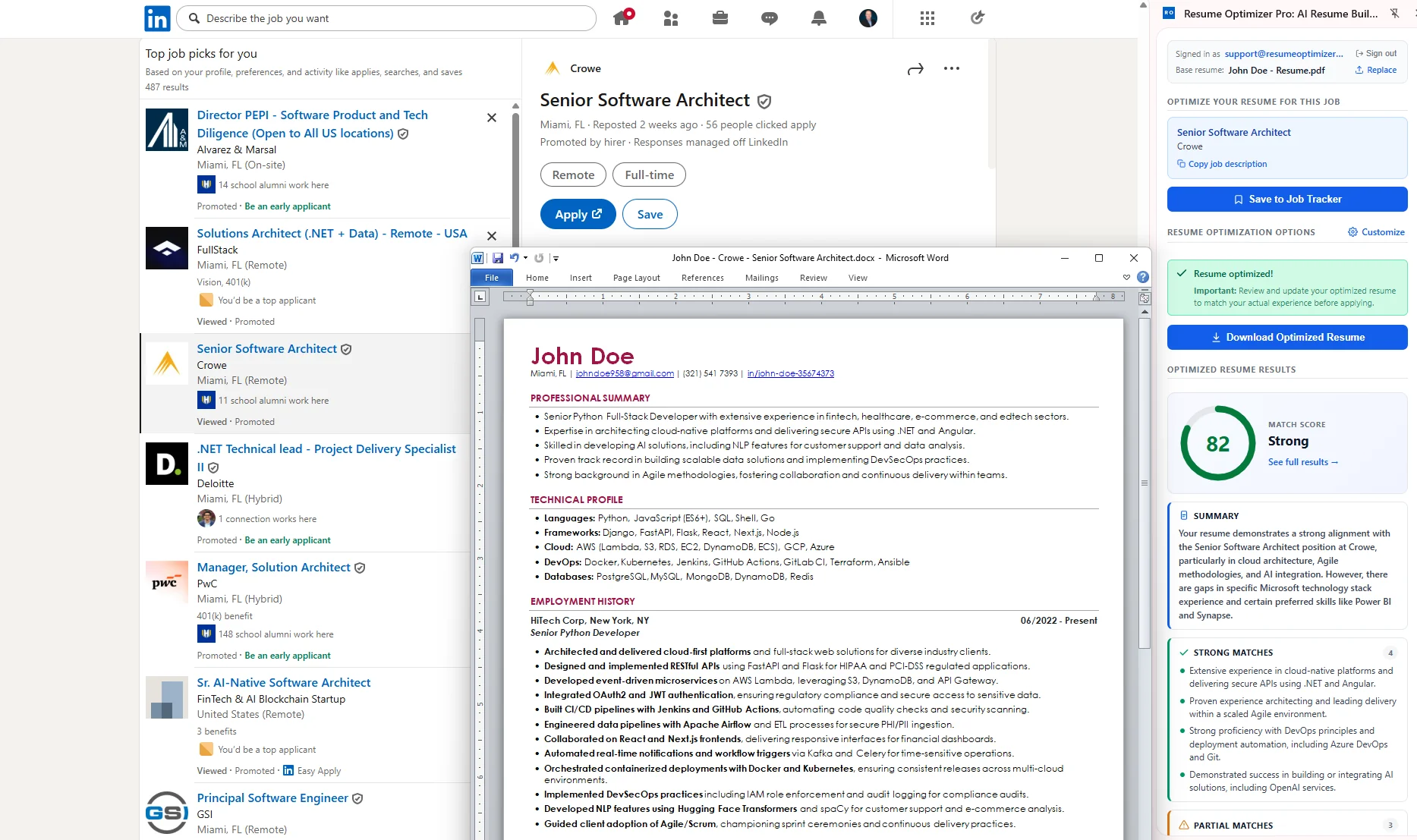
Browse jobs. Keep the good ones.
Upload your resume once. Every job you browse gets a match score and a one-click save.
Match
Open a job listing and click the extension. See your match score, strengths, and gaps before you spend time applying.
Save
Click Save to Job Tracker. The title, company, link, and full job description land on your board. No copying, no spreadsheets.
Track
Move each job from Saved to Applied, Interview, and Offer. Tailor your resume, prep for interviews, and send follow-ups from the same card.
Your job search, organized from the first click.
Capture any job straight from the listing. The job description is saved with it, so it is ready when you tailor your resume later.
See strengths, partial matches, and gaps in seconds. Save the jobs worth your time and skip the rest.
Saved, Applied, Interview, Offer, and Rejected. Log deadlines, contacts, and notes, with an Apply Kit and AI follow-ups on each card.
Tailor your resume right from the extension, or open the job from your tracker for every template, style, and option on the dashboard.
Stop losing jobs in open tabs.
Bookmarks and spreadsheets fall apart fast. The extension puts every job on one board with the details already filled in.
What users are saying
"I found the app much easier to use than similar ones, with much better results. I use it every time I want to quickly optimize my resume to a job."
"I went from hearing nothing back to actually receiving callbacks after applying with optimized resumes. The difference was immediate."
"I used to keep a spreadsheet of every job I applied to. Now I save each one from LinkedIn in a click and see everything on one board."
Save every job.
Track every application.
Free to install. Free Job Tracker. No credit card required.