Microsoft Word is not the problem. Word's default templates are. That distinction determines whether your resume passes or fails ATS screening, and it changes the "resume builder vs Word" question entirely. The 2026 Enhancv benchmark tested the same resume content across four tools against a live ATS: Enhancv scored 96.73%, Google Docs scored 95.77%, Microsoft Word scored 84.85%, and Canva scored 80.07%. The 12-point gap between Word and the leading builders is not about Word's file format; it is about the multi-column layouts, decorative headers, text boxes, and sidebar elements baked into Word's built-in templates. A clean, single-column Word document in .docx format parses at 88-95%. A Word resume using the "Blue Stripe" or "Minimalist" built-in templates can drop to 68%.
Quick Verdict: Which Should You Use?
The answer depends on what you need from your resume tool.
Word is fine when...
- You use a clean, single-column template (not Word's built-in designs)
- You save as .docx, not .doc or a designed PDF
- You are applying to small companies without high-volume ATS screening
- You are sending your resume directly to a recruiter or hiring manager
- You just need to store and update a master resume document
Use a dedicated builder when...
- You are applying to Fortune 500 companies or high-volume pipelines (99% use ATS)
- You want keyword optimization against a specific job description
- You need to track keyword match percentage, not just formatting
- You are applying to multiple roles and need to tailor quickly
- You want a parse rate above 90% without manually auditing every element
The 2026 ATS Parse Rate Benchmark
Enhancv's 2026 testing evaluated resume creation tools by running identical content through a live ATS (Indeed's parser) across different tool outputs. The methodology used a standardized mid-level resume to isolate the tool's structural and formatting contribution from content differences.
Source: Enhancv 2026 ATS benchmark, tested against Indeed ATS parser with identical resume content.
The 12-point gap between Word and the leading builder is large enough to matter in competitive pipelines. An 84.85% parse rate means roughly 15% of your resume content is being misread, scrambled, or ignored by the ATS before a human ever reviews your application. That lost content is typically contact information placed in headers/footers, skills listed in sidebar text boxes, or bullet points that live inside layout tables.
Resume Optimizer Pro: 5-Platform Data
Our internal testing goes beyond single-ATS benchmarks. Across 500+ resumes processed through Workday, Greenhouse, Lever, iCIMS, and Taleo in Q1 2026, resumes built and optimized through Resume Optimizer Pro achieve a 94% average ATS pass rate, with a 97% pass rate specifically on Workday and Greenhouse. The keyword match score averages 91% when the resume is tailored to a specific job description through our optimizer.
That 91% keyword match is what separates optimization tools from formatting tools. Word gives you a document. A dedicated optimizer gives you a document that is aligned to the specific role you are applying for.
Single-Column vs Multi-Column: The Template Variable
| Template Type | Avg ATS Parse Rate | Primary Risk |
|---|---|---|
| Single-column (any tool) | 93% | Minimal: linear text order, no column interleaving |
| Double-column (Google Docs) | 99% | Low: Google Docs exports columns as logical text blocks |
| Double-column (Enhancv) | 98% | Low: structured export with preserved reading order |
| Multi-column (Word default templates) | 76-84% | Medium: text boxes, sidebar columns, header/footer content |
| Canva modern templates with graphics | 73% | High: text rendered as vector images, invisible to parsers |
| Skills section (single-column) | 65% | Skills parse rate is lower across all tools; placement matters |
Source: Enhancv 2026 benchmark.
Where Word Breaks ATS Parsing
Word itself is not the problem. DOCX is actually a well-structured XML format that ATS parsers handle reliably when the document is simple and linear. The failures come from specific design decisions that Word's own templates encourage.
Headers and Footers
Word headers and footers are stored in a separate XML section from the document body. Roughly 25% of ATS parsers skip this region entirely (multiple sources, 2026). If your name, phone number, or email address lives in the Word header, those parsers process your resume as a document with no contact information. Some Word templates place the entire name/contact block in the header for styling purposes.
Text Boxes
Text boxes in Word are floating objects, stored separately from the main document flow in the DOCX XML schema. Most ATS parsers treat them as embedded objects and skip them entirely. Word templates that put skills, summary statements, or job titles in sidebar text boxes are silently hiding that content from ATS systems.
Multi-Column Table Layouts
Word frequently uses invisible tables to create two-column layouts. When a parser reads a table row-by-row, it concatenates content from left and right columns together: your job title from the left column merges with your graduation date from the right column. The resulting text string is garbled and unrecognizable to the parser's field-extraction algorithms.
Decorative Design Elements
Skill bars, progress bars, icons, lines, and shaded boxes in Word templates are often drawn shapes or image objects, not text. Parsers that encounter these elements either skip them or produce garbled output. A skills section rendered as a row of partially filled circles communicates nothing to an ATS, even though it looks polished on screen.
How to Make a Word Resume ATS-Safe
If you use Word, the following rules close most of the gap between Word's default 84.85% and the 93%+ single-column average. These are not style preferences; they are structural requirements for reliable ATS parsing.
ATS-Safe Word Resume Rules
| Rule | What to Do | Why |
|---|---|---|
| Single column only | Use one continuous text column. No side-by-side sections, no two-column skill rows. | Prevents column interleaving in parser output |
| No text boxes | Delete all text boxes. Move their content to the main document body as regular paragraphs or bullet lists. | Text boxes are invisible to most parsers |
| No tables for layout | Do not use invisible tables to align columns. Use tab stops or plain text alignment instead. | Tables confuse field extraction for dates, titles, and companies |
| Contact info in body, not header | Place your name, phone, email, and LinkedIn URL in the main body as regular text at the top. | 25% of ATS parsers skip Word header regions entirely |
| Standard section headings | Use: "Experience," "Education," "Skills," "Summary." Avoid creative alternatives like "My Journey." | Parsers match headings against known dictionaries |
| Standard fonts only | Calibri, Arial, Garamond, Georgia, Times New Roman. Avoid decorative or custom fonts that may not embed correctly. | Font substitution can corrupt line breaks and spacing |
| Save as .docx, not .doc | Always save in .docx (Word 2007+) format, not legacy .doc binary format. | .doc uses a binary format some parsers handle poorly; .docx is XML-based and predictable |
| No graphics or icons | Remove all skill bars, rating circles, icons, decorative lines, and progress indicators. | Graphic objects are skipped or produce garbled text in parser output |
Follow all eight rules and a Word document will parse in the 90-95% range on most platforms. The remaining gap between a clean Word document and a dedicated builder comes down to template architecture: builders like Enhancv and Resume Optimizer Pro generate DOCX and PDF output with field-level XML tagging that makes content explicitly machine-readable at the section and attribute level, rather than relying on parsers to infer section boundaries from text alone.
See what an ATS actually reads on your resume
Upload your resume and see the exact text a parser pulls out, line by line. We fix the formatting automatically.
Side-by-Side Comparison: Word vs Google Docs vs Dedicated Builder
The table below compares the three main tools across the dimensions that actually affect whether your application advances.
| Category | Microsoft Word | Google Docs | Dedicated Resume Builder |
|---|---|---|---|
| Avg ATS parse rate | 84.85% | 95.77% | 94-97% |
| ATS rate (clean single-column) | 90-95% | 93-99% | 94-97% |
| Keyword optimization (vs JD) | None | None | Yes (91% avg match) |
| Job tailoring speed | 30-45 min/application (manual) | 30-45 min/application (manual) | Under 2 min (AI-assisted) |
| Template ATS safety | Medium (built-ins risky) | High | High (purpose-built) |
| Collaboration | Limited (OneDrive) | Excellent (real-time) | Tool-dependent |
| Cost | Included with Microsoft 365 (~$10/mo) | Free | Free to $30/mo depending on tool |
| File format output | .docx, .doc, .pdf | .docx, .pdf, .odt | .docx, .pdf (ATS-safe) |
| Best for | Master document storage, manual customization | Free ATS-safe formatting, collaboration | High-volume job searches, competitive roles |
Decision Framework: When to Use Word vs a Builder
Use this table to find your situation and act accordingly.
| Your Situation | Best Tool | Reasoning |
|---|---|---|
| Applying to small businesses that review resumes manually | Word (clean template) | ATS screening is minimal. Formatting and readability matter more than parse rate. |
| Applying to Fortune 500 or companies with over 500 employees | Dedicated builder | 99% of Fortune 500 use ATS. A 94%+ parse rate and keyword match are both necessary. |
| Sending resume directly to a known recruiter or hiring manager | Word (clean template) | No ATS in the path. Human readability is the only variable. |
| Applying through an online application portal | Dedicated builder | Portals almost always feed into ATS. Parse rate and keyword match both apply. |
| Applying to 1-3 jobs at a time, manually tailoring each | Word or Google Docs | Volume is low enough that manual tailoring is practical. Follow the ATS-safe rules above. |
| Applying to 10+ jobs per week | Dedicated builder | Manual tailoring at this volume is unsustainable. AI-assisted optimization is 15-20x faster. |
| Career changer who needs keyword strategy for a new field | Dedicated builder | Keyword gaps are the primary barrier. Word cannot identify or close them against a specific JD. |
| Storing a master resume document between job searches | Word or Google Docs | No parsing required. Use whichever you are comfortable editing. |
Why Optimization Tools Outperform Both Word and Google Docs
The ATS parse rate comparison above frames Word, Google Docs, and dedicated builders as similar once formatting is controlled. That framing is accurate for formatting alone. It misses the most important capability gap: keyword optimization.
An ATS does not just parse your resume; it scores your resume against the job description. Two resumes with identical ATS parse rates can score 35% apart in keyword match if one has been tailored to the specific job description and one has not. A 2023 TopResume study found that tailored resumes receive 40% more interviews than generic ones. That gap has nothing to do with whether you used Word or a builder. It has everything to do with whether your resume was optimized against the actual job description.
What Word gives you
- A document you can format and save
- Templates of varying ATS quality
- Manual editing of all content
- Spell check and grammar tools
- No insight into keyword gaps vs. the JD
- No ATS score measurement
- No match percentage against a specific role
What a dedicated optimizer adds
- ATS parse rate measurement (so you know where you stand)
- Keyword match score against the specific job description
- Missing keyword identification and prioritization
- AI-assisted bullet rewriting to include target keywords naturally
- Section-level ATS compliance audit
- Tailoring across multiple job applications at scale
- Platform-specific formatting for Workday, Greenhouse, Lever
Resume Optimizer Pro's 94% ATS pass rate and 91% keyword match score reflect both dimensions. The 94% is the formatting result: how well the document parses. The 91% is the optimization result: how well the keywords in the resume match the keywords in the target job description. Word can approach 94% on the first metric with careful formatting. It cannot touch the second.
See Where Your Resume Actually Stands
Upload your current resume (Word, PDF, or any format) and paste a job description. Get an instant parse rate, keyword match score, and a prioritized list of improvements.
Optimize My Resume →Frequently Asked Questions
Bottom Line
Word is a legitimate resume tool when used correctly. A single-column .docx document with contact information in the body, no text boxes, no layout tables, and standard section headings will parse at 90-95% on modern ATS platforms, close to the 94-97% range from dedicated builders. The 2026 benchmark gap of 84.85% vs 96.73% reflects Word's default templates, not Word's ceiling.
The argument for a dedicated optimizer is not primarily about formatting. It is about keyword optimization. Word cannot tell you that your resume matches 41% of the target job description's required keywords and that adding "cross-functional collaboration," "SQL," and "stakeholder reporting" would raise your match to 74%. That is the gap that costs interviews, and it is one no Word template can close.
If you are currently using a Word template with sidebars, text boxes, or headers for contact information, fix the formatting first using the rules in this article. Then check your keyword match against your target roles. Our free ATS resume checker handles both in one step, whether your resume was built in Word, Google Docs, or anywhere else.
If there is no existing resume to fix, you can build a resume from scratch by answering five short steps and watching the draft form as you go.
Related Articles

Best ATS Resume Builder 2026: 5 Builders Tested on Real Parsers
We tested 5 resume builders on Workday, Greenhouse, Lever, iCIMS, and Taleo. See which deliver 90%+ pass rates and which...
Read More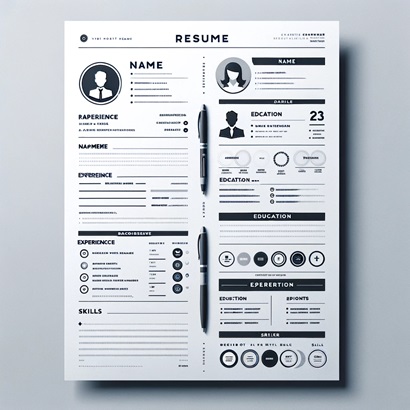
What Is an ATS-Compliant Resume? The 3-Gate Audit (2026)
ATS-compliant means passing parsing, keyword, and formatting gates. Includes the 20-point audit checklist and per-platfo...
Read More
3 Resume Formats Compared: Which One Gets You Hired? (2026)
Chronological, functional, or hybrid? See ATS pass rates for each format, visual layout comparisons, and a quick decisio...
Read More