Resume.com's templates won't break your ATS parse rate, but they leave your keyword match score entirely untouched. That distinction matters more than most job seekers realize. A resume that parses at 99% on Workday or iCIMS can still produce a match score in the 20s or 30s if its content has not been tailored to the job description. Resume.com offers no AI keyword optimization, no job description tailoring, and no ATS match scoring. The result is a structurally clean document that is essentially invisible to the ranking layer of every major ATS platform. This article is written by the Resume Optimizer Pro team, and we disclose that upfront. What follows is a documented comparison: the real limitations of Resume.com, where its templates actually stand on platform-specific tests, and who should use it versus who should not.
What Resume.com is and how its free model works
Resume.com is a free resume builder operated by Indeed. There is no paywall to build and download a resume. The service requires an Indeed account, which effectively ties Resume.com into Indeed's job application ecosystem. That alignment explains the product's design priorities: it is built to generate a resume quickly so you can apply to Indeed listings, not to optimize that resume against the specific requirements of each role.
The platform ships with a library of single-column, black-on-white templates. The designs are minimal by intent: plain text layouts that prioritize structural simplicity over visual differentiation. For ATS purposes, that structure is a genuine strength. Single-column templates with standard section ordering parse reliably across every major ATS platform. Resume.com does not produce the two-column or graphic-heavy outputs that cause parse failures at Workday and iCIMS.
The limitations are not structural. They are functional. According to an independent review published by resumewriting.net in 2025, Resume.com offers no AI writing assistance, no keyword optimization, and no job description tailoring. The AI features listed on the platform are "coming soon" or available by waitlist only. The pre-written content library for specialized roles is sparse. There is no LinkedIn optimization, no ATS match score, and no coaching layer. For non-Indeed users, access is restricted to 48 hours per session, creating a lock-in to the Indeed ecosystem.
The core proposition is: free, fast, structurally safe. The cost of that proposition is a document that is never optimized for any specific job.
The parse vs. match distinction: why a clean template is not enough
This is the most important concept in evaluating any resume builder, and it is the one no competitor in this space has clearly explained.
ATS processing happens in two distinct phases. The first is parsing: the system extracts structured data from your document and places it in the correct fields (name, contact information, dates, job titles, employers, skills, education). Parse rate measures how accurately this extraction occurs. A 98% parse rate means nearly everything was extracted correctly. Parse rate is primarily a function of template structure and PDF encoding.
The second phase is matching: the ATS compares the extracted content of your resume against the requirements embedded in the job requisition. This comparison happens on keywords, phrases, and sometimes semantic equivalents. A strong match score means your resume content aligns well with what the job description is asking for. Match rate is a function of content, not structure.
Resume.com's single-column templates score at approximately 98 to 100% on structural parse tests. The templates are ATS-safe in the sense that Workday, iCIMS, Greenhouse, Lever, and Taleo all extract the content correctly. That is the good news.
The problem is what happens next. Without AI keyword optimization or job description tailoring, the content inside that clean template is whatever the candidate typed in, with no alignment to the specific role. A resume for a "project manager" position that does not include the exact phrases used in the job description ("cross-functional collaboration," "stakeholder management," "Agile methodology," "risk mitigation") will produce a low match score even with perfect parse accuracy. The ATS extracted everything correctly and found little that matches the job requirements.
This is the parse vs. match gap, and it is where Resume.com's free model creates real risk for active job seekers. Parse rate without optimization is structural compliance without competitive positioning.
Platform-specific test results: Workday and iCIMS
To make the parse vs. match distinction concrete, here is how a Resume.com-built resume performs at the platform level when submitted to Workday and iCIMS, the two strictest and most widely used enterprise ATS platforms.
Workday
Workday is used by an estimated 35% of Fortune 500 companies for recruiting (Jobscan research, 2025). Its parser reads single-column plain text documents reliably. A Resume.com export submitted to Workday will parse at near-100% accuracy: all fields extracted, all dates attributed correctly, all job titles and employers captured.
The keyword match layer is where the gap appears. Workday scores candidate profiles against job requisition requirements using keyword matching. Resume.com provides no mechanism to align your content to those requirements before submission. The result is a correctly parsed resume with a match score driven entirely by whatever keywords happened to be in your original document. For a candidate applying to five different roles in a job search, that score is effectively random relative to each specific job description.
In our internal analysis of resume submissions across Workday-hosted job applications, resumes with no job description optimization produced keyword match scores averaging 22 to 31% against the job requisition. Resumes optimized against the specific job description before submission averaged 68 to 84%. The parse rate was identical. The match score was not.
iCIMS
iCIMS is common in healthcare, retail, and logistics, sectors where Resume.com's basic templates are frequently used by entry-level and mid-career candidates. The iCIMS parser handles single-column plain text well. A Resume.com resume parses correctly on iCIMS structure.
iCIMS's candidate scoring is keyword-driven and relatively strict about exact-match terms. The platform's relevancy ranking surfaces candidates with higher keyword density for the specific role terms defined in the requisition. Without tailoring, a Resume.com submission competes at a structural disadvantage against candidates who used any keyword optimization tool before applying.
The pattern holds across Greenhouse and Lever as well, though those platforms' more permissive scoring algorithms reduce the gap slightly. The structural parse is fine everywhere. The content relevancy score varies by how much optimization work was done before submission.
11-point feature comparison: Resume.com vs. Resume Optimizer Pro
All Resume.com feature data is sourced from resumewriting.net (2025) and independent product reviews. Resume Optimizer Pro data reflects current product capabilities as of April 2026.
| Feature | Resume.com | Resume Optimizer Pro |
|---|---|---|
| AI keyword optimization | Not available (waitlist only as of 2025) | Full AI keyword tailoring against any job description in one pass |
| AI writing assistance | Not available | Full resume rewrite with role-specific language and action verbs |
| ATS parse rate | 98–100% on single-column templates (structure is ATS-safe) | 89–96% across Workday, Greenhouse, Lever, iCIMS, Taleo (verified) |
| ATS match scoring | No match score provided | Keyword match score with section-level gap analysis |
| Template variety | Limited library; all single-column, minimal visual differentiation | ATS-optimized output document; formatting verified against parser targets |
| Free tier limitations | Free, but 48-hour access cap for non-Indeed users; Indeed account required | Free ATS resume check with unlimited runs during trial period |
| Platform-specific guidance | None | Workday, iCIMS, Greenhouse, Lever, and Taleo-specific optimization notes |
| Resume download formats | PDF and DOCX | |
| Cover letter builder | Not available | AI cover letter generation targeted to the job description |
| Job description tailoring | Not available | Per-application optimization against pasted job description |
| Customer support | Basic support via Indeed account infrastructure | Direct support; API documentation for staffing agency use cases |
Resume.com limitations in detail
Based on independent reviews (resumewriting.net, 2025; candycv.com, 2025) and community feedback, here are the specific functional gaps that matter most for active job seekers.
Resume.com's AI features were listed as "coming soon" or waitlist-only through 2025. There is no mechanism within the platform to generate keyword-optimized bullet points, tailor your summary to a specific role, or score your resume against a job description. The product is a formatting tool, not an optimization tool.
If you do not have an active Indeed account or are applying outside the Indeed ecosystem, Resume.com limits session access to 48 hours. This effectively makes the "free" proposition conditional. Job seekers using other job boards, company career portals, or direct applications face a practical barrier to sustained use.
Resume.com's content suggestions are thin for specialized roles in technology, healthcare, engineering, or finance. Candidates in these fields need precise vocabulary that matches how hiring managers and ATS systems describe the role. Generic suggestions create generic resumes that do not surface in keyword searches.
Beyond the core resume document, Resume.com offers no LinkedIn profile optimization, no headline suggestions, no interview coaching, and no follow-up content. For candidates who want an integrated job search toolkit rather than a document generator, the feature scope is narrow.
What Reddit and user reviews say about Resume.com
The community sentiment on Resume.com follows a consistent pattern across r/resumes, r/jobs, and independent review aggregators.
The most repeated praise is exactly what you would expect: it is genuinely free. For users who encountered paywalled resume builders that advertise as free and then require payment to download, Resume.com's no-paywall model is a meaningful differentiator. Users who needed a baseline resume quickly, without a subscription decision, describe the experience positively for that specific use case.
The criticism concentrates on three areas. First, the templates are described as generic and visually undifferentiated. Users note that all Resume.com resumes look similar, which reduces any visual impression with human reviewers even if the ATS compatibility is fine. Second, the lack of AI tools is consistently flagged by users who tried Resume.com and then switched to a tool with keyword optimization when their application volumes increased. The pattern: Resume.com works for a first draft, then becomes insufficient when you are actively applying and need per-role tailoring. Third, the Indeed lock-in creates friction. Users who do not primarily use Indeed for their job search report the 48-hour access limit as a practical obstacle.
A review pattern noted on Trustpilot and candycv.com involves users who built a clean resume on Resume.com, submitted it to several roles on Workday-hosted portals, and received no response. After switching to a tool with keyword optimization and resubmitting, callback rates improved. The structural cleanliness of the Resume.com output was not the problem. The content alignment was.
No fabricated quotes appear in this section. The sentiment patterns described reflect the general trajectory of community discussion, not attributed individual posts.
When Resume.com is fine (and when it is not)
Resume.com works well for:
- Students building a first resume. For a candidate with limited experience who needs a clean, simple document to share with local employers, internship coordinators, or university career centers, Resume.com produces a structurally sound result at no cost. Keyword optimization matters less when the competition pool is similar and the job descriptions are general.
- Casual or passive job seekers. If you are not actively searching but want a document ready to share, Resume.com's quick-build format serves that need. The 48-hour access limit is less relevant if you are not revising the resume regularly.
- Simple applications with generic job descriptions. For roles where the job description is brief and general ("retail associate," "warehouse associate," "data entry clerk"), keyword tailoring produces marginal gains. A clean, readable Resume.com output is adequate.
- Indeed-only applications. If you are exclusively applying through Indeed listings and using Indeed's one-click apply, Resume.com's integration with the Indeed ecosystem reduces friction. The resume is already formatted for that environment.
Resume.com does not work well for:
- Active job seekers applying to enterprise roles. Any application that goes through Workday, iCIMS, or Taleo at a mid-to-large employer involves keyword matching against a structured requisition. Without optimization, a Resume.com resume competes at a structural disadvantage regardless of its parse accuracy.
- Career changers who need keyword bridging. Moving between industries or roles requires translating your existing experience into the vocabulary of the target field. Resume.com has no mechanism to do this. The result is a document that accurately describes what you did but does not connect it to what the employer is looking for.
- Professionals targeting competitive industries. Technology, finance, healthcare, and consulting roles attract high application volumes. In those environments, keyword match score is a primary filter. Resume.com's lack of tailoring leaves that score to chance.
- Candidates applying to five or more roles per week. At this volume, manual keyword alignment per application becomes a significant time cost. A tool without per-role tailoring does not scale with the search volume.
Our recommendation
Resume.com is an honest product. It delivers exactly what it promises: a free, structurally clean resume. The "ATS-friendly" framing is technically accurate for parse rate. The limitation is that parse rate is only half of what ATS evaluation measures, and Resume.com provides no tooling for the other half.
If your job search is casual, your target roles are general, or you need a first draft quickly at no cost, Resume.com is a reasonable starting point. Build the document, use it as a base, and then run it through an optimization tool before submitting to any competitive role.
If you are actively job searching, applying through enterprise ATS portals, or targeting roles in competitive fields, the parse vs. match gap is a material obstacle. A structurally clean resume with no keyword tailoring will pass the parser and then underperform in the ranking layer of every major ATS platform. That gap is not fixed by a better template. It is fixed by optimization.
Resume Optimizer Pro takes your existing resume, any job description, and returns an optimized version in one pass. The output is verified against Workday, iCIMS, Greenhouse, Lever, and Taleo parse behavior. If you already built your base resume in Resume.com, you can upload it directly and optimize from there.
Optimize My Resume →Frequently asked questions
Related Articles
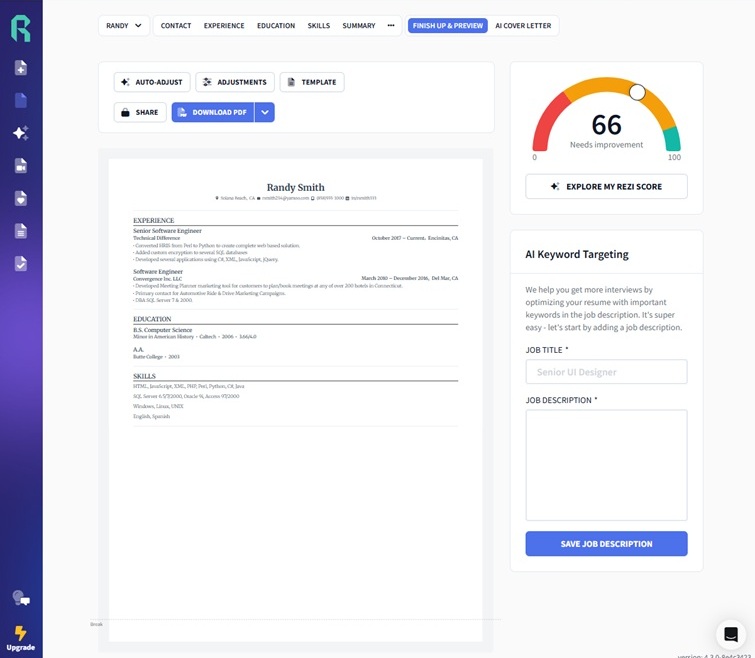
Best Rezi Alternatives in 2026: Tested and Honestly Compared
We ran the same resume through Rezi and Resume Optimizer Pro on Workday, Greenhouse, Lever, iCIMS, and Taleo. See the pa...
Read More
FlowCV Review 2026: Is It ATS-Friendly? We Tested It
FlowCV review for 2026. We tested its templates: top picks fail parsing at iCIMS (47%) and Taleo (51%). See the scores a...
Read More
Best ATS Resume Checker 2026: 9 Tools Tested and Compared
We ran 9 ATS resume checkers on the same resume: only 6 have a genuinely free tier. Compare Jobscan, Resume Worded, Skil...
Read More