If your resume formatting is going to fail anywhere, it will fail on Workday first. Workday powers recruiting for more than 11,000 organizations in 2026, including over half of the Fortune 500, and unlike a simpler ATS it does not just store your resume as a searchable document. It rips your file into structured fields, pre-builds a candidate profile, and (since the September 2024 Illuminate AI launch) feeds that profile through a semantic matcher before any recruiter lays eyes on you. The profile that comes out the other end, not your carefully designed PDF, is what gets screened. Get the format wrong and the recruiter screens a scrambled stranger. Resume Optimizer Pro's engine scores every resume on whether a machine reader can recover its structure, and the single dimension that separates a clean parse from a broken one is column count: a two-column layout gives the extractor no reliable way to know whether the text to the right of a job title belongs to that job or to the block beside it. This guide covers exactly what Workday reads in 2026, how Illuminate AI and Skills Cloud rank you, the formatting patterns that quietly auto-reject applications, and how to build a resume that survives the parse intact.
How the Workday Resume Parser Actually Works
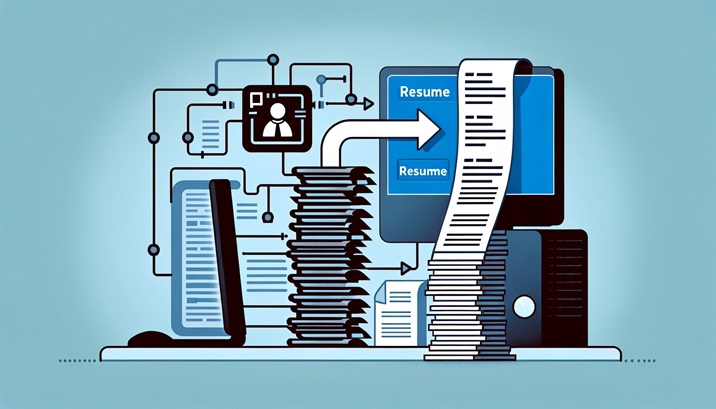
Workday's resume parser is a two-stage system. Stage one is document ingestion: the uploaded file is converted to plain text, layout elements are stripped, and the raw text is passed to stage two. Stage two is entity extraction: Workday tries to identify structured fields (contact info, work history, education, skills) and map them to its internal candidate profile schema. The recruiter never sees your original resume in the profile view; they see the parsed data in Workday's own layout. Your PDF is still attached, but screening happens against the parsed fields.
This matters because a beautifully designed resume can parse into a mess, and a plain resume can parse perfectly. Workday is not evaluating your layout, it is evaluating whether it can correctly identify your last three job titles, employers, dates, and degree. If any of those come out wrong, the candidate profile is wrong, and the recruiter is screening a scrambled version of you.
The two-stage parse pipeline
- Stage 1 (ingestion): File converted to text. DOCX is read natively. PDF is run through a text extraction layer that works reliably for text-based PDFs but fails on scanned or image-based PDFs.
- Stage 2 (extraction): A named-entity recognition model identifies section headers, employers, dates, titles, and skills. Fields are written to the candidate profile schema.
- What the recruiter sees: The structured profile first, your original PDF second, and the keyword search results from the parsed text.
What's New in 2026: Workday Illuminate AI and Skills Cloud
The Workday you applied to two years ago is not the Workday you are applying to today. In September 2024, Workday announced Illuminate, its generative AI platform, and spent 2025 rolling Illuminate features into Workday Recruiting. Resumes uploaded in 2026 flow through two parallel systems: the classic named-entity parser covered above, and Illuminate's semantic matching layer. Recruiters now search a profile that has been enriched, re-ranked, and in some tenants auto-summarized by AI before they ever see it.
Skills Cloud is the second piece. Workday's Skills Cloud, first introduced in 2020 and heavily expanded every year since, is a proprietary skills graph containing more than 200,000 canonical skill names with inferred relationships between them (Workday product documentation, current as of 2026). When your resume is parsed, Workday does not just extract "Python" as a string. It maps "Python" to a canonical skill node, pulls in adjacent skills (Django, Flask, pandas, data pipelines) as inferred capabilities, and scores your profile against a similar canonical graph built from the job description. Candidates whose resumes use canonical skill names rank higher in recruiter searches because the match happens at the node level, not the substring level.
- Use canonical skill names. "JavaScript" beats "JS". "Applicant Tracking System (ATS)" beats "ATS" alone. "Customer Relationship Management (CRM)" beats "CRM".
- Spell out acronyms on first mention. Illuminate and Skills Cloud both index the expanded form as a canonical skill; the short form often resolves only when seen alongside it.
- Keep skills concrete. "Led cross-functional initiative" is not a skill Skills Cloud can map. "Jira", "Agile scrum", "stakeholder management" are.
- Bullet content matters more than before. Illuminate's semantic matcher reads bullet context, not just the Skills section. A skill mentioned with a measurable outcome scores higher than the same skill listed alone.
For the broader picture of how modern ATS scoring has evolved, see our ATS resume score guide. For help choosing technical skill names that match Skills Cloud's canonical taxonomy, see our breakdown of technical skills for your resume.
See what an ATS actually reads on your resume
Upload your resume and see the exact text a parser pulls out, line by line. We fix the formatting automatically.
File Format: PDF vs. DOCX on Workday
Workday accepts PDF, DOC, DOCX, RTF, and TXT. Based on Workday's public help documentation and widely documented community reports, DOCX has historically parsed more consistently than PDF because the XML structure of a Word document exposes heading levels, paragraph styles, and table boundaries that the parser can use as signals. PDF parsing is reliable only when the PDF was generated from a text source (Word, Google Docs, LaTeX) rather than scanned or exported from a design tool like InDesign or Canva.
| File Format | Parse Reliability | Common Issues | Recommendation |
|---|---|---|---|
| DOCX | High | Style-based layouts work well; rare issues with nested tables | Preferred for Workday |
| PDF (text-based, from Word) | Medium-High | Reading order can break with multi-column layouts | Acceptable if single-column |
| PDF (exported from Canva, InDesign, Figma) | Low | Text stored as vector paths, sections parsed out of order | Avoid |
| PDF (scanned image) | None | No extractable text, profile will be empty | Never use |
| RTF | Medium | Legacy format, inconsistent style mapping | Fallback only |
| TXT | High for content, low for structure | No formatting signals at all, relies entirely on NER | Last resort |
If you are applying to a Fortune 500 company through their Workday portal and can only submit one file, upload DOCX generated from Microsoft Word or Google Docs (File > Download > Microsoft Word format). If DOCX is not accepted, export a single-column PDF from the same source file.
Sections and Fields the Parser Expects
Workday's profile schema has fixed fields. The parser is trying to fill those fields from your resume. If your section headers match the names the parser recognizes, extraction is dramatically more reliable. Use exact, conventional section names and put them on their own line.
Section names Workday recognizes
- Experience / Work Experience / Professional Experience
- Education
- Skills
- Certifications
- Languages
- Summary / Professional Summary
Section names that confuse the parser
- "Where I've Been" instead of Experience
- "Academic Journey" instead of Education
- "What I Bring" instead of Skills
- "Career Highlights" as a substitute for Experience
- Merged sections like "Experience & Projects"
Contact information block
Workday's parser looks for contact details in the first 10 to 15 lines of the document. Put your name on the top line by itself, then phone, email, city and state, and LinkedIn URL, each on its own line or separated by a plain pipe or comma. Do not put contact information inside a header or footer region of the document; many Workday tenants strip headers and footers during text extraction, so an email in the header can disappear entirely from the parsed profile.
Work experience block
Each work experience entry should follow a strict pattern so the parser can identify all five fields (title, employer, location, start date, end date). The safest pattern is title on one line, employer and location on the next, dates on the third, and bullets beneath. Write dates in "Month YYYY" format (e.g., "March 2022 to Present") because numeric-only formats like "3/22" can be misread as fractions.
Parser Failure Modes: What Breaks Workday
Most Workday parse failures fall into a small number of predictable patterns. Every item below has been documented repeatedly in Workday community forums, Reddit's r/recruiting and r/jobs threads, and Workday's own help center as known issues with specific document patterns.
1. Multi-column layouts
A two-column resume with a sidebar for skills and a main column for experience almost always parses out of order. The text extractor reads top-to-bottom, left-to-right, and concatenates your sidebar content into the middle of your work experience. Use a single-column layout for Workday submissions, period.
2. Tables for layout
Using a table to create a two-column effect (job title left, dates right) can work, but nested tables or tables without consistent row structure frequently cause employer names to be concatenated with dates from the next row. Prefer paragraph-based layouts with tabs or simple indentation. If you must use a table, keep it to a single row per job and avoid merging cells.
3. Text inside images or graphics
Any text embedded in an image (logo, infographic skill bar, custom header) is invisible to the parser. Skill bars and rating graphics are the worst offender because candidates believe they are communicating skill levels while the parser sees nothing at all. Write skills as plain text in a comma-separated list.
4. Decorative fonts and custom typefaces
Fonts not embedded in the PDF can be substituted, and decorative fonts (script, handwritten, display) sometimes cause ligature issues where pairs of letters are read as single characters. Stick to standard fonts: Calibri, Arial, Helvetica, Georgia, Cambria, or Garamond. See our guide on ATS friendly resume fonts and styles for the full list.
5. Headers, footers, and text boxes
Workday often strips headers and footers during parse. Name and contact details in the document header can disappear. Text boxes (which appear in many designer templates) are frequently ignored entirely because they sit outside the main text flow. Keep everything in the main body.
6. Date format inconsistency
"Jan 2020 to Present", "01/2020 - Present", and "January 2020 to Now" can each be parsed differently. Pick one format and use it for every role. The most reliable pattern is "Month YYYY to Month YYYY" with a real en dash or a simple hyphen between them, and the word "Present" (not "Now" or "Current") for ongoing roles.
Workday Resume Mistakes That Auto-Reject You
Workday does not have a single red "reject" button that fires on a bad font. The auto-reject risk on Workday is more subtle and more dangerous: a resume can be silently filtered out of a recruiter's results before a human ever opens it. There are two distinct mechanisms at work, and most candidates only understand the first one. The first is the parse failure covered in the previous section, where scrambled extraction leaves your last job title blank or your most recent employer attached to the wrong dates. The second, and the one that quietly ends most Workday applications, is the knockout question.
Every Workday application includes pre-screening questions that the recruiter or hiring manager configures: minimum years of experience, required certifications, work authorization, location, willingness to relocate, salary expectations. Workday can be configured to auto-disposition any candidate who answers a required knockout question outside the acceptable range. If a posting requires a CPA and your profile does not surface "Certified Public Accountant" anywhere Skills Cloud can read it, you are filtered before screening even though the credential sits in your PDF. The fix is not a different font; it is making sure the parsed profile contains every disqualifying-or-qualifying signal in plain, canonical text.
The five mistakes below are the ones that most reliably remove a qualified candidate from a Workday recruiter's search results. None of them are about visual polish. Every one of them is about whether the parsed profile, not the PDF, contains the right fields in the right form.
Five Workday mistakes that silently filter you out
- Burying a required credential in a bullet. If the posting screens for a license or certification (CPA, PMP, RN, security clearance), it must appear as plain text in a Skills or Certifications section, not only inside a sentence. Recruiters filter on the structured field first.
- Leaving the most recent title unparseable. A current role that scrambles into a blank or wrong title makes you invisible to "current title" filters. This is the single most common cause of a qualified candidate not appearing in search.
- Acronym-only skills. Writing "SQL", "ML", or "AWS" alone, with no expanded canonical form anywhere, means Skills Cloud may never pin the node a recruiter searches by full name.
- Dates the parser cannot read. "3/22 to present" or a graphic timeline produces empty date fields, which fail any "years of experience" knockout calculation Workday runs against your work history.
- Contact details only in the header. When Workday strips the header, your email and phone vanish from the profile, and an application with no reachable contact is the easiest one for a recruiter to skip.
To make the difference concrete, here is the same work-history entry written two ways. The "before" version reads fine to a human and auto-rejects in Workday. The "after" version is plainer and survives every filter the parser runs.
Before: silently filtered out
(in a two-column sidebar)
Sr. Accountant → Manager
Globex | 3/21 - present
Skills: CPA, GL, AP/AR, ERP
- Owned close, passed CPA in 2022.
After: survives the parse
(single column, body text)
Accounting Manager
Globex Corporation, Austin, TX
January 2022 – Present
Certifications: Certified Public Accountant (CPA), 2022
- Owned the monthly close for a $0.5B general ledger across accounts payable and accounts receivable.
The "after" version wins on every count a Workday filter checks. The title is a clean, standalone string the "current title" search can read. The certification sits in a structured field with the expanded canonical name "Certified Public Accountant (CPA)", so the CPA knockout question matches. The dates are in "Month YYYY" form, so the years-of-experience calculation runs. The employer and location parse as separate fields instead of colliding with the date. Nothing here is prettier, and that is the point: on Workday, plain and parseable beats designed and invisible every time.
The Auto-Fill Nightmare: Why Your Resume Becomes a Form
Ask any candidate who has applied through Workday what they hate most and you will hear the same answer: the auto-fill. Candidate-experience research consistently ranks Workday as the slowest enterprise application flow in the ATS market, with candidates commonly reporting 45 minutes or more per application versus 10 to 15 minutes on Greenhouse (consistent across 2025 and 2026 candidate-experience reporting and widely documented in r/recruiting and r/jobs community threads). That is not a design accident. Workday is built for the recruiter, not the applicant. The form exists because Workday's candidate profile schema has fixed fields, and those fields must be populated one way or another.
Here is what actually happens when you upload a resume to a Workday portal. The file goes through the two-stage parse described earlier. Every extracted entity is written to a candidate profile row. Workday then walks you through a 5 to 10 page form that surfaces every row it created, pre-filled, and asks you to confirm it. If extraction went badly, confirming the form means confirming a scrambled version of yourself. Most candidates, exhausted by page 7, just click Next.
- Contact block: name, email, phone, city, state. Confirm every character. A parser that reads "Ste. 200" as a city will miscategorize your whole contact row.
- Work history integrity: every entry has title, employer, location, start date, end date. Watch for dates shifted one row up or down.
- Job description length: Workday often truncates job descriptions at 500 or 1,000 characters. If a bullet was cut mid-sentence, paste the full text back in.
- Education block: degree, school, graduation year. Multi-degree resumes frequently collapse into one entry; add the missing rows manually.
- Skills section: compare to your resume. Illuminate sometimes promotes inferred skills you never wrote; prune any that are aspirational, and add any Skills Cloud canonical names the parser missed.
- Duplicates and gaps: a single role split into two entries is common when job titles changed mid-tenure. Delete one, merge the bullets, confirm the date range.
If you find yourself rewriting more than 3 of the 6 blocks above, that is a signal the resume itself needs structural repair. Close the tab, fix the format (next section shows you exactly what to do), and re-upload. The upload step can be repeated until the parse comes out clean.
Filled-in Example: A Workday-Optimized Resume
Every point above is abstract until you see it on a page. Below is a full Workday-optimized resume for a Senior Financial Analyst, written specifically so every parser rule on this page is visible. Every section header matches Workday's schema. Every date uses the Month YYYY pattern. Every skill is a Skills Cloud canonical name. Contact information sits in the body, not a header. This is the format to copy.
Jordan Chen
Chicago, IL
(312) 555-0142
jordan.chen@email.com
linkedin.com/in/jordanchen
Professional Summary
Senior Financial Analyst with 8 years of experience in FP&A, financial modeling, and corporate finance for Fortune 500 manufacturers. Built rolling 13-week cash forecasts that cut forecast variance from 12% to 3%. Advanced Excel, SQL, Workday Adaptive Planning, and Power BI. CFA Level II candidate.
Work Experience
Senior Financial Analyst
Acme Manufacturing, Chicago, IL
March 2022 to Present
- Led annual budget process for a $420M business unit across 6 regions, coordinating with 14 department leads.
- Built rolling 13-week cash forecast in Workday Adaptive Planning, reducing forecast variance from 12% to 3% within two quarters.
- Automated monthly variance reporting using SQL and Power BI, cutting close-cycle reporting time from 4 days to 6 hours.
- Partnered with supply-chain leadership on a capital-expenditure review that reallocated $8.2M to higher-return projects.
Financial Analyst
Acme Manufacturing, Chicago, IL
June 2020 to March 2022
- Owned monthly P&L analysis for two plants, identifying a $1.3M recurring margin leak driven by freight-rate drift.
- Rebuilt the operating-expense model in Excel with dynamic cost drivers, reducing prep time for quarterly reviews by 60%.
Financial Analyst
Midwest Consumer Goods, Indianapolis, IN
July 2017 to May 2020
- Supported $180M category P&L with weekly trade-spend reporting and promo-ROI modeling for 42 SKUs.
- Developed SKU-level price-elasticity model that informed a pricing reset worth $4.1M in annualized revenue.
Education
Bachelor of Science, Finance
University of Illinois Urbana-Champaign, May 2017
Skills
Financial Planning and Analysis (FP&A), Financial Modeling, Budgeting, Forecasting, Variance Analysis, Corporate Finance, Microsoft Excel, Structured Query Language (SQL), Power BI, Workday Adaptive Planning, Tableau, Data Visualization, Capital Expenditure (CapEx) Analysis, Cash Flow Management, Stakeholder Management
Certifications
Chartered Financial Analyst (CFA) Level II Candidate, 2025
Advanced Excel and Financial Modeling, Corporate Finance Institute (CFI), 2023
A few details about why this example works. The Skills section lists every entry in canonical form: "Structured Query Language (SQL)" not "SQL", "Financial Planning and Analysis (FP&A)" not "FP&A". That lets Skills Cloud anchor on the full name and the abbreviation, both. Each role is a separate entry with its own date range, so the promotion from Financial Analyst to Senior Financial Analyst survives the parse. Every date is "Month YYYY" with the word "Present" for the current role. The contact block sits on lines 1 to 5 of the body, not in a document header that Workday could strip.
Workday vs Greenhouse vs iCIMS: Parser Behavior Side-by-Side
The three platforms most candidates encounter in enterprise hiring behave very differently. A resume that parses cleanly on Greenhouse can scramble on Workday. The table below captures where each system rewards or punishes specific formatting choices.
| Behavior | Workday | Greenhouse | iCIMS |
|---|---|---|---|
| Preferred file format | DOCX | DOCX or text-based PDF | DOCX (PDF parsing has improved but still inconsistent) |
| Auto-fill application form | Yes, extensive (5 to 10 pages) | Minimal, mostly optional | Yes, moderate (legacy iForms) |
| Two-column / sidebar layout | Often scrambles | Usually tolerates single-sidebar designs | Often scrambles |
| Skills section parsing | Skills Cloud canonical mapping (semantic) | Keyword-based, literal match | Keyword-based, literal match |
| Headers and footers | Frequently stripped | Generally preserved | Frequently stripped |
| Date format tolerance | Low, prefers "Month YYYY" | Medium, handles most formats | Low, prefers "Month YYYY" |
| File size limit | ~5 MB (tenant-configurable) | 10 MB | 5 MB |
| AI summarization layer | Illuminate (Sept 2024) | Greenhouse AI (limited, 2024-2025) | iCIMS Copilot (2024) |
| Customer base | Enterprise, 50%+ Fortune 500 | Mid-market tech and growth companies | Enterprise and mid-market, broad industry mix |
| Recruiter search index | Parsed profile fields + Skills Cloud graph | Parsed text + custom fields | Parsed text + tagged keywords |
The short version: Workday is the strictest on format and the most aggressive on semantic matching. If your resume parses cleanly on Workday, it will almost certainly parse cleanly on the other two. The reverse is not true. For the Greenhouse-specific breakdown and how to tune the same resume for that platform, see our Greenhouse ATS resume guide. For the other enterprise giant, see our Taleo resume format guide.
Companies Using Workday Recruiting (2026)
If you are wondering whether it is worth tuning your resume to Workday specifically, the answer is almost certainly yes. Workday Recruiting is the ATS module used by a majority of Fortune 500 employers who have standardized on Workday for HCM, and the company's own 2025 disclosures put installed-base growth above 10,500 organizations globally. The list below names well-known employers who post roles through Workday. Attribution is based on publicly visible "myworkdayjobs.com" career-portal URLs, Workday customer-story pages, and industry reporting from 2024 and 2025. Specific module usage can change per tenant, so always verify against the live career portal before tailoring.
Technology and telecom
- Adobe
- Salesforce
- Intuit
- Cisco
- Workday (itself)
Financial services and healthcare
- Bank of America
- Capital One
- Aon
- AstraZeneca
- CVS Health
Retail, industrial, and media
- Target
- Walmart (select divisions)
- Unilever
- Siemens
- Netflix
The common tell that a posting runs on Workday is a career-portal URL containing "myworkdayjobs.com" or a subdomain like "acme.wd5.myworkdayjobs.com". When you spot one, assume the full Workday application flow (upload, auto-fill form, review, submit) applies and budget 30 to 45 minutes for the first application at a given employer. Subsequent applications to the same employer reuse your candidate profile and run much faster.
The Workday Auto-Fill Profile Flow: Fast Recap
The auto-fill review process was covered in detail earlier. Use the short checklist below as a final pre-submit gate when you do not have time to re-read the long version. Bookmark this card, open it every time you apply, and run it before clicking Submit.
Auto-fill review checklist
- Name spelled correctly, email and phone formatted correctly
- Every work experience entry has title, employer, location, start date, end date
- Job descriptions are not truncated at 500 or 1,000 characters
- Education includes degree, school, and graduation year
- Skills section reflects the skills from your resume, not a random subset
- No duplicate entries (the parser occasionally creates two entries for one role)
How to Upload or Update Your Resume in Workday
Knowing what the parser does to a resume is only useful if you also know where the upload actually happens, and Workday's candidate experience differs enough between employers to be genuinely confusing. Every Workday tenant is a separate instance with its own configuration, which is why the flow you remember from one company does not match the next.
The first-time application flow
- Create the account first. Workday accounts are per-employer, not global. An account at one company's
myworkdayjobs.comsite does not exist at another's. There is no single Workday profile that follows you between employers. - Choose "Autofill with Resume" if offered. This is the upload step, and it is the one that matters. Workday parses the file and pre-populates the application form from it.
- Review every pre-filled field before continuing. This is the step almost everyone rushes. The parse is a draft, not a result, and whatever it got wrong becomes your application unless you fix it here.
- Attach the resume file as well. Autofill and attachment are separate actions in most tenants. Parsing your resume does not necessarily attach it, and a recruiter opening your application may find structured fields with no document behind them.
Updating a resume on an existing profile
If you already have an account with that employer, the path is Candidate Home, then your profile, then the Resume or Attachments area. Two things behave in ways people do not expect:
- Uploading a new resume does not re-parse your profile. In most tenants the new file is attached and the previously extracted fields stay exactly as they were. If you spent a year gaining experience and upload an updated resume, your Workday profile still describes the old you unless you edit the fields by hand.
- Applications already submitted do not update. Changing your profile does not retroactively change an application under review. Those are snapshots taken at submission.
The practical consequence: if you are reapplying to a company after a meaningful gap, update the profile fields manually rather than assuming a fresh upload did it for you. Recruiters search the structured fields, not the attachment, so a stale profile is a stale search result no matter how current the attached PDF is.
Replacing a resume mid-application
Once an application is submitted, most Workday tenants close editing entirely. Your options are to withdraw and reapply if the requisition is still open, which resets your application date, or to contact the recruiter directly and ask them to attach a corrected file. Withdrawing is usually the wrong trade when the only change is cosmetic, since application recency affects review order in many configurations. Fix substantive errors, live with formatting ones.
| What you want to do | Where it lives | What actually happens |
|---|---|---|
| Upload for a new application | "Autofill with Resume" on the application's first step | File is parsed into form fields. Review them; attach the file separately. |
| Update the resume on file | Candidate Home, profile, Attachments | New file attaches. Structured fields do not change. |
| Correct a parsed field | Candidate Home, profile, Experience or Education | Edits apply to future applications only. |
| Change a submitted application | Not available in most tenants | Withdraw and reapply, or ask the recruiter. Withdrawing resets your application date. |
| Apply at a different company | That employer's own Workday site | Separate account, separate profile, separate upload. Nothing carries over. |
Workday Skills for Your Resume
Workday's Skills Cloud is the layer that turns the text of your resume into skill entities a recruiter can filter on, and it behaves differently from simple keyword matching. Understanding that difference changes how you write the skills section.
Skills Cloud matches concepts, not just strings
Skills Cloud maintains a relationship graph between skill terms, so related terms can map toward the same underlying skill entity rather than being treated as unrelated strings. That is genuinely useful and it is also why people over-trust it. Two practical rules follow:
- Use the canonical name, then the abbreviation. Write "Search Engine Optimization (SEO)" rather than betting the graph resolves the acronym in the direction you need. This costs three words and removes the guess.
- Do not rely on inference for the skills that matter most. A recruiter filtering a requisition often filters on exact skill entities. If a skill is a hard requirement in the posting, put that exact phrasing on your resume rather than a near neighbor and hoping the graph bridges it.
Where skills should physically sit
| Placement | Effect | Verdict |
|---|---|---|
| A dedicated Skills section with comma-separated terms | Extracts cleanly and reliably | Do this. It is the single most reliably parsed section on the page. |
| Skills embedded in experience bullets | Extracts, and adds the context that a skill was actually used rather than merely listed | Do this too. The two placements are complementary, not redundant. |
| Skills in a sidebar or text box | Frequently lost or interleaved with adjacent column text | Avoid. This is the most common cause of a skills section vanishing entirely. |
| Skills rendered as a graphic or rating bars | Extracts as nothing at all | Never. A five-star proficiency graphic conveys no data to any parser, and conveys very little to a recruiter either. |
| Skills as a table with proficiency columns | Cell boundaries frequently collapse, merging skill names with proficiency labels | Avoid. Use plain comma-separated text instead. |
The failure worth remembering: a skills section that looks the most designed is usually the one that parses the worst. Rating bars, icon grids and two-column skill tables all render beautifully as PDFs and extract as either nothing or as garbled fragments.
Workday CV: Same Rules, Different Word
Outside the US, and inside US academia and medicine, the same document is called a CV, and applicants reasonably wonder whether Workday treats it differently. It does not. Workday parses a file; it does not care what the document calls itself. Everything in this guide applies unchanged to a CV.
Three differences are worth flagging for CV users specifically:
- Length is not the problem people expect. Workday has no page limit and does not penalize a long document. A four-page academic CV parses as cleanly as a one-page resume, provided the structure is linear. The constraint is the human reader downstream, not the parser.
- Publication lists are the actual risk. Auto-numbered citation lists frequently lose their numbering during extraction and merge into a single undifferentiated block. Use plain text with a manual number or no number at all, rather than a word processor's automatic numbering.
- European CV conventions can hurt you. Photos, date of birth, marital status and nationality are standard on CVs in much of Europe and are both unparseable and legally awkward on a US application. A photo in particular sits in the header area where Workday most often loses text, and it takes surrounding content with it.
If you are applying to a US employer through Workday with a document you think of as a CV, the safest move is to convert it to US resume conventions: no photo, no personal details, reverse chronological, single column. The parser will handle either, but only one of them survives the recruiter.
A Copy-Paste Workday-Safe Resume Skeleton
Everything above reduces to a fairly boring document, which is the point. Below is a structure that parses cleanly in Workday. Copy it into a blank document, replace the content, and keep the section headings verbatim, because those exact strings are what the parser looks for when deciding where one section ends and the next begins.
Workday-safe structure (plain text, single column)
JORDAN REYES
Austin, TX | jordan.reyes@email.com | (512) 555-0142 | linkedin.com/in/jordanreyes
PROFESSIONAL SUMMARY
Supply chain analyst with 6 years in consumer goods distribution. Reduced carrying costs 18% across a 40-SKU portfolio. Expert in demand forecasting, SAP and SQL.
SKILLS
Demand Forecasting, Inventory Optimization, SAP ERP, SQL, Microsoft Excel (Advanced), Power BI, Supplier Negotiation, Sales and Operations Planning (S&OP), Lean Six Sigma
PROFESSIONAL EXPERIENCE
Senior Supply Chain Analyst
Meridian Consumer Brands, Austin, TX
March 2022 - Present
Rebuilt the demand forecast model for a 40-SKU portfolio, cutting carrying costs 18% in the first year
Led the S&OP cycle across 4 business units, reducing stockouts from 7.2% to 2.1%
Negotiated terms with 12 suppliers, recovering $340K in annual spend
Supply Chain Analyst
Northfield Logistics, Dallas, TX
June 2020 - February 2022
Automated weekly inventory reporting in SQL and Power BI, removing 9 hours of manual work per week
Supported a warehouse consolidation that reduced distribution centers from 5 to 3 with no service degradation
EDUCATION
Bachelor of Business Administration, Supply Chain Management
The University of Texas at Austin, Austin, TX
May 2020
CERTIFICATIONS
APICS Certified Supply Chain Professional (CSCP), 2023
Lean Six Sigma Green Belt, 2021
Five properties make this structure safe, and each one maps to a failure mode described earlier on this page:
- Contact details are in the body, not a header. Header and footer regions are where Workday most reliably drops text.
- Job title, employer and dates each occupy their own line, in that order. Combining them onto one line with pipes is the most common cause of a title being absorbed into the employer field.
- Dates use Month Year with a spelled-out or three-letter month. Numeric formats such as 03/2022 are ambiguous across locales and parse inconsistently.
- Section headings are single-word or two-word standard terms in caps. Creative headings such as "Where I've Made an Impact" are not recognized as section boundaries.
- No tables, no columns, no text boxes, no graphics. Every one of those is a documented extraction risk.
Keyword Strategy for Workday Searches
Workday recruiters search the candidate database using boolean and natural language queries against the parsed text. If a recruiter searches for "Python" and your resume says "Py3" or "python3", you may not match. The keyword list in the job description is the most accurate map of what the recruiter will search for.
For a deep look at how ATS scoring works across the major platforms, see our ATS resume score guide and our explainer on ATS scoring for developers. For Workday specifically, three rules matter most.
1. Spell acronyms both ways
Use "Customer Relationship Management (CRM)" on first mention, "CRM" thereafter. Workday search handles both forms if both are present in the parsed text.
2. Match job description language
If the posting says "Agile scrum," write "Agile scrum" verbatim. Do not paraphrase it to "iterative development methodologies" and expect a match.
3. Skills in the Skills section
Workday's skills field is populated from a dedicated Skills section on your resume. Bullets inside work experience contribute to keyword search but not to the structured skills field on the profile.
Workday-Ready Resume Checklist
Use this pre-submit checklist before uploading to any Workday portal. It captures the formatting rules that matter most for a clean parse.
Pre-upload checklist
- Single-column layout, no sidebars
- Standard section headers: Summary, Experience, Education, Skills, Certifications
- File saved as DOCX (preferred) or single-column text-based PDF
- Contact info in the body, not in a header or footer
- One title per work entry (promotions listed as separate entries)
- Dates in "Month YYYY to Month YYYY" format, "Present" for current role
- No tables with merged cells, no nested tables, no text boxes
- No skill bars, rating graphics, or icons containing text
- Standard fonts only: Calibri, Arial, Helvetica, Georgia, Cambria, Garamond
- Keywords from the job description present verbatim
- Acronyms spelled out on first mention (so Illuminate and Skills Cloud resolve canonical nodes)
- Skills listed as canonical names (e.g., "JavaScript" not "JS"; "Structured Query Language (SQL)" not just "SQL")
Related ATS Guides in This Series
Workday is one of the "big three" enterprise applicant tracking systems alongside Oracle Taleo and Greenhouse. Each parses resumes differently and rewards different formatting decisions. If you are applying to roles across multiple systems, these companion guides cover the other two.
Taleo Resume Format Guide
Oracle Taleo dominates enterprise and legacy Fortune 500 tech stacks. Known for its aggressive copy-paste-to-form flow and keyword density quirks. Read the Taleo resume format guide.
Greenhouse ATS Resume Guide
Greenhouse is the default for mid-market tech companies and is generally more parser-friendly than Workday or Taleo. Read the Greenhouse ATS resume guide for the differences.
For a broader selection of parser-tested templates you can download and adapt, see our roundup of the best ATS friendly resume templates.
What to Do Next
Before you submit your next Workday application, run your resume through an ATS scoring tool to confirm it parses cleanly. Our free ATS resume checker extracts your resume exactly as a parser would, flags formatting issues that break Workday ingestion, and compares the extracted content against the job description for keyword coverage. If the checker cannot find your most recent job title, Workday probably cannot either.
Frequently Asked Questions
Related Articles
Taleo Resume Format Guide: Fields, Keywords, and File Types
How Oracle Taleo parses resumes. The paste-to-form flow, keyword density ranking, file types, and the section headers Ta...
Read More
Greenhouse ATS Resume Guide: Pass the 2026 Parser
How to format a resume for Greenhouse ATS in 2026. What the parser reads, what breaks it, and how recruiters at 8,500+ c...
Read More
Best ATS Resume Templates 2026: 8 Free Downloads That Pass Every Parser
Get 8 free ATS-friendly resume templates, each tested to parse cleanly on Workday, Taleo, and Greenhouse. Word and Googl...
Read More