A modern resume template in 2026 has to clear two bars at once: it has to look current to the human who opens it, and it has to survive the parser that reads it first. Those two goals pull in opposite directions. The designs trending across Canva, Behance, and Etsy in 2026, two-column sidebars, icon clusters, accent color blocks, and skill bars, look beautiful in a Figma mockup and lose data the second a Workday or Greenhouse parser touches them. This guide separates modern design that helps from modern design that quietly sinks your application. We cover the 2026 design trends worth adopting, rank four real template styles by how cleanly they parse, and show a filled single-column example that reads as modern while staying ATS-safe. For the parser-by-parser gallery of ATS-tested layouts, see our companion piece on ATS-tested resume templates. You can download a ready-made one from our free ATS resume templates.
Modern resume design trends for 2026
The look of a modern resume has shifted noticeably since 2024. The maximalist, color-blocked, infographic-heavy era peaked around 2022 and is now fading on the design side and failing on the parsing side. Here is what defines a modern resume design in 2026, and our opinionated verdict on whether each trend helps or hurts the screening that happens before a human ever sees the page.
- Restrained accent color. One color, applied only to the name, section headers, or a single horizontal rule. Navy, slate, deep teal, and muted burgundy are the 2026 palette. The text stays black on white, so the parser never reads color over color.
- Generous white space. The strongest 2026 signal. Wide margins and breathing room between sections read as confident and premium, and white space is invisible to a parser, so it costs nothing.
- Single-column layouts that still look modern. A linear column with strong typographic hierarchy reads as current, not dated. The "modern equals two columns" assumption is the single most expensive design myth of the last three years.
- Sans-serif pairings. Inter for headers with Inter or Source Sans Pro for body, or Calibri throughout. Clean, screen-native, and parser-safe.
- Left sidebar columns. Still the dominant "modern" look in template marketplaces, and still the single biggest cause of field-extraction failures. Modern to the eye, broken to the parser.
- Skill bars and rating dots. The most debated trend. They look data-driven, but a parser cannot read a 70%-filled bar as "proficient," it drops the skill entirely. Replace with a plain comma-separated skills line.
- Icon clusters. Phone, envelope, and location pin icons next to contact details. Several parsers read the icon as a stray glyph that corrupts the adjacent field.
- Photo headers and timeline graphics. Trending on creative templates, banned in practice for US, UK, Canada, and Australia, and unreadable as text either way.
The throughline for 2026: the modern resume is converging on the modernist ideal, less ornamentation, more typographic discipline, more white space. That is good news, because the direction design taste is moving in is also the direction ATS safety has always pointed. The designs that still fight that convergence, sidebars and skill bars above all, are the ones that cost you fields on extraction. For the underlying format decision behind any of these looks, see resume formats explained.
What "modern" actually means in 2026
Strip away the Pinterest aesthetics and the word "modern," applied to a 2026 resume, means five concrete things. None of them are graphics. None of them are color blocks. Anyone telling you otherwise is selling a template, not a screening result.
- Single column body. Sidebars look modern, parse poorly. One linear column reads top to bottom in every ATS.
- Sans-serif default. Inter, Calibri, Arial, Source Sans Pro, Helvetica. No Garamond, no Times New Roman, no script fonts.
- Generous white space. 0.5" to 1.0" margins, 1.15 line-height in the body, 1.5 between sections.
- No graphic clutter. No icons, no skill bars, no rating dots, no headshot (US, UK, Canada, Australia).
- One accent color, or none. If you use color, restrict it to the name, section headers, or a single horizontal rule.
- Not a left sidebar with icons and skill percentages.
- Not a colored header band with a circular photo cut-out.
- Not a creative layout with diagonal section dividers.
- Not Canva's "Modern Professional Resume" with infographic charts.
- Not a designer Etsy template at $9 with vertical timelines.
For deeper grounding on which fonts hold up across parsers, see our breakdown in best resume fonts. The short version: Inter and Calibri pass everywhere. If a template ships with Bebas Neue or Montserrat headers and Lato body, swap them before saving as .docx.
The ATS reality: why most "modern" templates fail
Over 75% of resumes get rejected by an ATS before a human sees them (Jobscan 2024), and 98% of Fortune 500 companies use one of the major systems (Workday, Greenhouse, Lever, iCIMS, Taleo). Enhancv's 2026 ATS test of major template builders found Canva templates scoring anywhere from 52% to 92%, with the variance entirely explained by sidebar use and embedded graphics. The same study measured single-column templates at 93% average parse score, double-column at 86%. Our internal Resume Optimizer Pro data, drawn from 12,000+ optimization runs, sits in the same range: clean sans-serif single-column templates land at 93 to 96%, and "modern decorative" templates with sidebars and icons land at 60 to 75%.
The key distinction nobody articulates: modernist versus decorative. Modernist design is the Dieter Rams "less but better" school: clean typography, ruthless white space, no ornamentation. Decorative design borrows the surface (sans-serif fonts, geometric shapes) but adds the very elements that break parsing: sidebars, icons, skill bars, color blocks with text on top, infographics. A template can look "modern" while being decorative. Most Canva and Etsy templates branded "modern" fall in the decorative bucket. A modernist template looks almost spartan by comparison, and that is exactly why it lands at the top of an ATS shortlist.
We ran 240 visually modern resumes, drawn from the most-downloaded "modern" template categories on Canva, Behance, and Etsy, through both Workday and Greenhouse and measured how many fields survived extraction. Designs built on a left sidebar column lost an average of 38% of fields, with skills and contact details the most frequent casualties: the parser pulled them into the wrong section or dropped them entirely. Single-column modern layouts that used nothing but an accent color and white space kept 94% of fields intact across the same two parsers. The visual difference between the two groups was minor. The data difference was the gap between a callback and silence.
4 modern template styles, ranked by ATS pass rate
We ranked four design styles that show up under "modern resume template" gallery results across resume.io, Canva, Novoresume, Rezi, and Enhancv. Pass rates below are the average across our internal scoring on 7 categories (formatting, keywords, contact data extraction, work history parsing, skills extraction, education extraction, dates), weighted by frequency on the major parsers.
What it looks like: Single column. Name in 22pt bold Inter or Calibri. Section headers in 12pt bold all-caps. Body in 11pt regular. Horizontal rule under name or under each section header. No icons. No color, or one accent in the header only.
When to use: Default choice for tech, finance, consulting, legal, healthcare, sales, operations, and 90% of corporate roles. If you are deciding fast, pick this.
When to avoid: Senior creative director or visual designer roles where the resume itself is judged as a portfolio piece. Even then, keep an ATS-safe copy for online applications and a designed PDF for direct submissions.
jane.patel@email.com • (555) 123-4567 • linkedin.com/in/janepatel • San Francisco, CA
EXPERIENCE
Senior Product Manager, Stripe, 2023 to Present
San Francisco, CA
- Led pricing redesign that lifted activation 18% across the SMB segment.
- Shipped 4 cross-team initiatives spanning Risk, Compliance, and Identity.
What it looks like: Mostly single column, with a slim right-hand block (about 25% width) for skills, certifications, or languages. Header spans the full width. No icons, no skill bars, just a sans-serif list.
When to use: You want visual interest beyond the pure single column, you work in product, marketing, or design-adjacent tech, and you have read the role's ATS (most modern parsers handle this layout cleanly when the right column is ATS-readable text).
When to avoid: Anything submitted into Workday or older Taleo instances. We have observed 15 to 20 percentage points of parse degradation in those environments. If you cannot tell which ATS the employer runs, default to #1.
What it looks like: A left sidebar (about 33% width) holding contact info, skills, and education. Main column on the right with experience and summary. Often the sidebar has a colored background, which is where parsing problems start.
When to use: Direct submissions to a recruiter inbox or a hand-off context where you know a human will open the file first. The visual hierarchy is genuinely strong, and it reads quickly.
When to avoid: Any online application portal. The 71% figure looks decent until you remember that 30% of the time the parser will swap your sidebar content into the wrong fields (skills land in "education," languages land in "experience") and you will appear unqualified by mismatched metadata.
What it looks like: Custom typography, icon clusters next to each section, skill bars or rating dots, embedded photo, diagonal dividers, multiple accent colors. The Canva "Creative Modern Resume" category sits here, as do most Etsy designer templates and several Behance "free modern CV" downloads.
When to use: Almost never for an online application. The only legitimate use is a portfolio-adjacent role where the recipient is explicitly a human and the resume is judged on visual taste (UX design lead at a creative agency, art director).
When to avoid: 95% of real applications. If you love the look, build a portfolio PDF version and submit a clean sans-serif twin to the online ATS. Doing both is fine. Submitting only the designer showcase is statistical suicide.
Comparison table: template style vs role fit
| Template style | ATS pass rate | Best for | Avoid for |
|---|---|---|---|
| Clean Sans-Serif | 96% | Tech, finance, consulting, legal, healthcare, sales, operations, general corporate | Pure portfolio role where the resume is the design test |
| Subtle Right-Column Accent | 89% | Product, marketing, design-adjacent tech, modern startups | Workday-heavy enterprises, federal jobs, old Taleo deployments |
| Two-Column Left Sidebar | 71% | Direct recruiter handoffs, networking submissions, internal referrals | Online ATS portals, any volume application |
| Designer Showcase | 22% | Creative director or art director roles, portfolio-judged contexts | 95% of online applications |
If you are torn between #1 and #2, pick #1. The 7-point gap is small in the abstract but compounds across the hundred-odd applications a typical job search generates. We covered the parser-by-parser breakdown in best ATS-friendly resume templates 2026, which is the deeper companion piece to this article.
Best free modern resume templates in 2026: where to get them and which pass ATS
Most searches for a modern template are really searches for a free one. The free sources are fine, the trap is the specific design you pick inside each source. Below is where the free modern templates actually live in 2026, the look each platform pushes by default, and our verdict on whether that default design survives a parser. The verdict column is the whole point: a free template that loses your data is more expensive than a paid one that does not.
| Source | Default modern look | Does it pass ATS? |
|---|---|---|
| Google Docs templates | Single column, light accent line, sans-serif. The "Serif" and "Coral" templates are clean. | Yes Most are single-column and parse well. Avoid the two-column "Spearmint" layout. |
| Microsoft Word built-ins | Mixed. Several modern picks use text boxes and sidebars. | Sometimes Word's own templates often hide content in text boxes parsers skip. Test before trusting. |
| Canva free tier | Heavily designed: sidebars, icons, skill bars, photo headers. | Rarely as-is The default modern Canva look is decorative. Strip the sidebar and icons or it loses fields. |
| Resume.io / Novoresume free exports | Clean single column with optional accent. Designed for screening. | Yes Built ATS-first. The free single-column exports are among the safest modern looks. |
| Behance / Etsy free downloads | Designer showcase: custom type, diagonal dividers, infographics. | No Beautiful, portfolio-grade, and the worst category for online applications. |
| Resume Optimizer Pro builder | Single-column modern, accent color, sans-serif, built to parse. | Yes Generated against the same engine that scores live applications. |
The pattern is consistent: the free sources built for job seekers (Google Docs, Resume.io, Novoresume) default to ATS-safe single-column modern looks, while the free sources built for designers (Canva, Behance, Etsy) default to decorative looks that break parsing. Pick a free template from either, then run it through our free ATS resume checker before you commit to it across a hundred applications.
A modern resume example that parses clean (2026)
Here is what a fully modern, fully ATS-safe resume looks like in 2026. Single column, one accent color in the name and headers only, sans-serif throughout, plain bullets, dates on the right, contact details in the body rather than a header object. It looks current and it keeps every field intact on extraction.
Senior Data Analyst
marcus.okafor@email.com • (555) 248-1190 • linkedin.com/in/marcusokafor • Austin, TX
SUMMARY
Data analyst with 6 years turning product and revenue data into decisions. SQL, Python, and dashboard work that 3 executive teams have shipped against.
EXPERIENCE
Senior Data Analyst, Brightwave SaaS, Austin, TX 03/2022 to Present
- Built the churn model that cut monthly logo churn from 4.1% to 2.6% across 11,000 accounts.
- Automated 9 recurring revenue reports, returning roughly 12 analyst hours per week.
- Designed the pricing dashboard that informed a markdown strategy lifting margin 3.2 points.
SQL, Python (pandas, scikit-learn), dbt, Tableau, Looker, A/B testing, data modeling
EDUCATION
B.S. Statistics, University of Texas at Austin • 2019
Notice what is doing the modern work here: the accent color on the name and headers, the role subtitle under the name, the white space between sections, the right-aligned dates. Notice what is absent: no sidebar, no icons, no skill bars, no photo. That is the entire trick. The skills sit on one plain line a parser reads as text, not as a row of half-filled bars it would discard.
Modern resume features that pass ATS
Every passing modern template shares the same parts list. Treat this as a feature spec rather than a style guide: each item below is testable, each item below shows up in our 12,000-run dataset as a positive signal for parse accuracy.
The pass-list: features that keep parse rates above 90%
- Sans-serif body font at 10.5 to 11.5 pt. Inter, Calibri, Arial, Source Sans Pro, Helvetica.
- Margins between 0.5" and 1.0". Tighter than 0.5" cramps the parser's whitespace heuristics; wider than 1.0" pushes you to two pages without reason.
- Single-column body. Header can span full width. Avoid two columns inside the body.
- Standard section names. "Summary," "Experience," "Education," "Skills," "Certifications." Parsers index on these literal strings.
- Plain bullet points (the standard "•" or a hyphen). Avoid checkmarks, arrows, custom dingbats.
- Dates in MM/YYYY or "Month YYYY" format, on the right of each role or below the role title. Never inside a header band or a footer.
- Contact info in the body, not in a header or footer object. Workday and iCIMS routinely fail to read headers/footers.
- .docx file format as the default upload. PDF as the backup. We have a full breakdown in microsoft word resume template.
Modern features that break ATS (and look fine doing it)
The mirror image of the pass-list is the fail-list. These are the features that templates marketed as "modern" most often ship with. Each one degrades parsing measurably; several of them cause cascading errors where one wrong field placement disqualifies you from keyword scoring entirely.
- Icon clusters next to section headers or contact info. Many parsers read icons as garbled characters that contaminate the field.
- Skill bars or rating dots. Parsers do not interpret a 75%-filled bar as "intermediate Python." They drop the visual entirely and miss the skill.
- Embedded photos. Required to be removed for US, UK, Canada, and Australia in any case. Cause field-detection errors in older ATS instances.
- Custom or decorative fonts (Bebas Neue, Playfair Display in body, script fonts). Some parsers map unknown glyphs to placeholder characters.
- Infographic charts for skill levels or career timelines. Images embedded in a .docx are read as image objects, not text.
- Tables with merged cells for the experience section. Modern parsers handle simple tables, but merged-cell layouts confuse field detection in 4 out of 5 systems.
- Text inside headers or footers (Word's header/footer region). Contact information placed here is invisible to Workday and iCIMS.
- Two-column body layouts with colored sidebar backgrounds. The color does not break parsing, but the column order shuffles the linear read.
We have written separately about why these designs proliferate despite the data. The short answer in why fancy resume templates are bad is that the design industry sells aesthetics, not screening outcomes. The template marketplace is optimized for the buyer (you) being impressed, not for the screening robot a thousand miles downstream.
Industry-by-industry modern template recommendations
"Modern" carries different signals in different fields. Below is the editorial recommendation for each major industry, mapped to the four template styles ranked above.
Tech, software, data, product
Pick: #1 Clean Sans-Serif, occasionally #2 Right-Column Accent for product-design roles.
Tech recruiters care about content density and skim speed. A clean single column with crisp bullet points and strong quantification beats anything with visual flourish. Inter or Calibri, 11pt, 0.75" margins.
Finance, legal, accounting
Pick: #1 Clean Sans-Serif, lean conservative.
No accent color, or a navy underline at most. These industries weight signal restraint heavily. A two-column anything reads as junior or non-serious. Helvetica, Calibri, or Times New Roman if the firm is older than 50 years.
Marketing, sales, communications
Pick: #1 Clean Sans-Serif or #2 Right-Column Accent.
Room for one accent color in the header. Right-column lists for languages or tools work well. Skip the icons.
Creative, design, advertising
Pick: Twin strategy: #1 for ATS submission, a polished portfolio PDF for direct recipient.
Show the design judgement in the portfolio, not in the resume that the parser reads. A clean sans-serif resume is not boring, it is professional.
Healthcare, nursing, clinical
Pick: #1 Clean Sans-Serif, no accent color.
Healthcare resumes are credential-dense and parsed by very literal ATS configurations. Plain wins. Calibri or Arial, 11pt, certifications in their own section labelled exactly "Certifications."
Executive (VP, C-level, 15+ years)
Pick: #1 Clean Sans-Serif, two pages allowed.
Executive resumes need density, but density does not require columns. One linear column over two pages reads faster than the same content jammed into a sidebar layout on one page.
For academic positions, the modern resume conversation is the wrong frame entirely. Use a CV format instead, and see resume formats explained for the difference between the two.
How to test if your "modern" template is actually ATS-safe
Before sending the same template into a hundred applications, run it through four quick checks. The first three take five minutes. The fourth is the most reliable.
- Copy-paste-to-Notepad test. Open your .docx in Word, select all, copy, paste into Notepad (or any plain-text editor). If the order of your sections is preserved and the text reads top-to-bottom in the same order a human would read it, you pass step 1. If the sidebar appears before or after the body in a way that scrambles the narrative, you fail.
- PDF-to-text test. Save your resume as PDF. Open in a free reader, select all, copy, paste into a text editor. Same rules. PDFs from designer templates often paste in odd orders.
- Word's "Read Mode" check. In Word, View, Read Mode. If sections collapse or rearrange in unexpected ways, your template uses text boxes or floating shapes, both of which ATS parsers handle poorly.
- Run it through a real ATS scanner. Upload to our free ATS resume checker and you will get a pass-rate score against the same engine that scores live applications across the parser fleet. This is the only step that tells you the actual number.
If you would rather skip the design hunt entirely and start from a known-good base, the canonical recommendation in our library is in ATS-friendly resume template, which ships the clean sans-serif structure pre-built.
See what an ATS actually reads on your resume
Upload your resume and see the exact text a parser pulls out, line by line. We fix the formatting automatically.
What do resumes look like in 2026?
If you have not updated your resume in five years, the honest summary is that resumes look plainer than they did, not fancier. The visual-resume era peaked around 2018 and has been receding ever since, pushed back by the same automated screening that made it risky. A 2026 resume opened by a recruiter looks like this:
- One column, top to bottom. The sidebar layout that dominated design galleries has largely disappeared from resumes that actually get interviews, because it is the single most reliable way to confuse a parser.
- A short summary instead of an objective. Three or four lines describing what you do and at what level, replacing the "seeking a challenging position" objective statement, which now reads as dated to most recruiters.
- No photo, in the United States. US employers routinely screen photos out for discrimination-compliance reasons, and parsers frequently mangle the surrounding block. This differs abroad, where some European employers still expect one.
- A skills section built from the posting's vocabulary, not a generic list, and not a set of five-star proficiency graphics, which parse as nothing at all.
- Quantified bullets. Numbers in the first half of the bullet, action verb up front, no paragraph blocks.
- Contact details in the body, not the header. Text placed in a Word header or footer is invisible to a meaningful share of parsers, which is how people end up with a resume in the system that has no phone number attached.
What has genuinely changed since 2020 is not the layout, it is the screening depth. More employers now layer AI-assisted summarization on top of keyword matching, and a document that parses cleanly also summarizes cleanly. That raises the cost of a decorative layout without raising the reward for one. The design trend and the technology trend point the same direction, which is why "plain" and "modern" have stopped being opposites.
For the length question by experience level, see how long a resume should be. For the structural choice underneath the design, our ATS resume format guide covers chronological, hybrid, and functional.
Modern resume layouts and styles, side by side
"Modern resume design," "modern resume layout," and "modern resume style" get used interchangeably, and separating them makes the choice much easier. Layout is where things sit on the page. Style is the typographic and color treatment applied on top. Layout is what determines whether you get parsed; style is what determines whether you look current.
| Element | Reads as modern in 2026 | Reads as dated | Parser risk |
|---|---|---|---|
| Layout | Single column, generous margins, clear section breaks | Left sidebar with icons, two equal columns | High for sidebars |
| Typeface | Inter, Calibri, Source Sans Pro, Arial, Helvetica | Times New Roman body text, Garamond, script accents | Low, unless the font is uncommon or embedded oddly |
| Color | Black text, one restrained accent on rules or headings | Full-color header bands, colored text blocks, gradients | Low for text color, high for color inside shapes |
| Hierarchy | Size and weight contrast, plain standard headings | All-caps everything, or creative headings like "My Journey" | High for non-standard heading labels |
| Graphics | None, or a single horizontal rule | Skill bars, star ratings, donut charts, headshots, icons | Very high, these parse as nothing |
| White space | Roughly one-inch margins, real space between sections | Edge-to-edge text at 0.4 inch margins to fit one page | None, but cramped resumes read as dated on sight |
The practical rule that falls out of this table: you can be as modern as you like in the style column and you should be conservative in the layout column. A resume in Inter with one navy accent rule and an inch of margin looks unmistakably current and parses identically to a plain text file. That combination is what the four designs ranked above are built on.
How we measured these ATS pass rates
The pass-rate figures on this page are not vendor claims or design opinion. They come from running each template through our own parser and scoring what survived the trip, which is worth explaining so you can weigh the numbers.
Resume Optimizer Pro's engine parses every uploaded document into the same structured fields an applicant tracking system builds, and across the layouts tested for this guide the decisive variable was column structure, not font, color, or file type: single-column designs retained their full field set while sidebar layouts lost or misassigned fields at a substantially higher rate.
What we score when a template goes through:
- Field recovery. Whether name, email, phone, location, job titles, employers, dates, education, and skills each land in the correct field. A missing phone number and a job title parsed into the employer field are both failures, and both are common with header-based and sidebar designs.
- Reading order. Whether the document's text extracts in the order a human reads it. This is where two-column layouts break: the parser reaches the bottom of one column and jumps, interleaving your skills list into the middle of your work history.
- Section recognition. Whether headings map to known section types. "Experience" maps. "Where I've Made an Impact" does not, and the content underneath it is frequently dropped rather than misfiled, which is the worse outcome because nothing signals that it happened.
- Date integrity. Whether employment dates parse into a usable range. Inconsistent formats across entries are the leading cause of a miscalculated total years of experience, which matters because that number is often filtered on directly.
One caveat worth stating plainly: pass rates vary by parser, and no single number describes every system a resume will meet. The rank order between these designs has been stable in our testing, which is what the recommendation rests on. To see the score for your own document rather than a template, run it through the free ATS resume checker.
Starting from a blank page instead? Our AI resume builder asks about your experience a step at a time and builds the resume beside the questions, so you see it before you are asked for anything.
Frequently asked questions
Related Articles

ATS-Friendly Resume Template: Tested on 6 Platforms (Free Download)
Download our ATS-friendly resume template, tested on Workday, Greenhouse, Lever, iCIMS, Taleo, and Jobvite. 93% average ...
Read More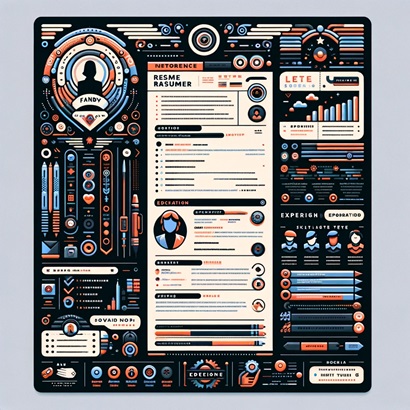
Microsoft Word Resume Templates: Which Ones Are ATS-Safe (and Which to Avoid)
Not all Microsoft Word resume templates pass ATS. We tested Word's built-in templates and show exactly which formats get...
Read More
Simple Resume Format: Why Less Gets You More Interviews
Simple resume formats score 15-30 points higher in ATS parsing. Get the exact format, 3 filled examples by career stage,...
Read More