Filling out a Workday application by hand takes 15 to 25 minutes. The autofill Chrome extensions in this guide get the same form to under 2 minutes. But here is the catch that the autofill category does not want you to know: autofill fixes the form, not the document the ATS actually parses and scores. What decides your callback rate is the resume file you upload. This guide ranks the 5 best autofill Chrome extensions for 2026, walks through real Workday, Greenhouse, LinkedIn, Indeed, and Glassdoor flows, and explains the optimization step that turns a fast application into a callback-eligible application.
Why Autofill Matters (And Where It Stops Mattering)
A typical enterprise job application has 30 to 50 form fields: contact info, work history, education, EEO data, custom screening questions, sometimes a knowledge-based competency screen. Typing all of that fresh into Workday for the 30th time is the most common reason job seekers quit their search.
That fatigue is exactly what paid reverse recruiting services sell relief from. Our DIY reverse recruiting guide covers how to get the same volume handled with autofill and tailoring tools instead of a monthly retainer.
The third card is the one that matters. Autofill solves the form-typing problem. It does not solve the resume document problem. Most autofill extensions either ignore the resume upload step entirely (you upload your stored resume.docx as-is) or attempt keyword-density "optimization" that does not survive the parser.
The Autofill vs Optimization Gap
Two distinct steps determine whether you get a callback:
Workday, Greenhouse, Lever, etc. ask for the same 30-50 fields. Autofill solves this. Your callback rate depends on it not at all, beyond completing the form.
Tools: Simplify Copilot, JobWizard, Huntr, Careerflow, JobAppFiller
The .docx you upload is parsed by the ATS. Keyword matches, section structure, work history dates, and bullet quantification all flow from this document. Your callback rate depends almost entirely on this step.
Tools: Resume Optimizer Pro Chrome extension, Jobscan
The mistake most job seekers make is installing a step-1 tool and skipping step 2. The mistake almost no job seekers make is installing a step-2 tool and skipping step 1. Both layers matter; this guide covers step 1 with a built-in pointer to step 2.
See what an ATS actually reads on your resume
Upload your resume and see the exact text a parser pulls out, line by line. We fix the formatting automatically.
The 5 Best Autofill Chrome Extensions, Ranked
1. Simplify Copilot — the default choice
What it does: Auto-fills application forms across 100+ ATS including Workday, Greenhouse, Lever, Ashby, iCIMS, Taleo, plus 20,000+ company career pages. LinkedIn Easy Apply enhanced flow on Pro tier.
Free tier: Unlimited autofill on all supported ATS. No usage cap. Tracker and basic resume builder also free.
Pro tier ($39.99/mo): AI custom-answer fill, AI resume scoring, AI cover letter generation.
User base: 1M+ Chrome installs.
Verdict: The free tier is the easiest "install once, save four minutes per app forever" decision in the category. Skip the $39.99 Pro tier unless you specifically need AI custom-question answers.
Full comparison: Simplify Copilot alternative.
2. JobWizard — AI custom-answer specialist
What it does: Autofill plus AI-generated answers to free-text application questions ("Why this company?", "Tell us about a challenge..."). Strong on Greenhouse and Lever where custom screening questions are common.
Coverage: Greenhouse, Lever, Workday, Ashby, LinkedIn, Indeed, Glassdoor, Wellfound, and 1,000+ more.
Pricing: Paid tier required for AI features (varies, typically ~$15-25/mo).
Verdict: If your bottleneck is the custom-question step on tech-company applications (Greenhouse-heavy), JobWizard is the closest specialist. For pure autofill, Simplify free is the same value at zero cost.
3. Huntr — autofill + kanban tracker bundle
What it does: One-click autofill on Indeed, LinkedIn, Glassdoor. Also adds the job to Huntr's kanban tracker. Pro tier adds AI-tailored resumes and cover letters.
Free tier: Autofill + kanban tracker capped at 100 saved jobs.
Pro tier ($40/mo): Unlimited tracking, AI-tailored resumes, AI cover letters.
Chrome rating: 4.9 stars across 1,100+ reviews. 250K users.
Verdict: Strong if you want autofill and tracking in one tool. The $40/mo Pro tier is steep; many users keep Huntr free and add a separate optimizer. Full comparison: Huntr alternative.
4. Careerflow — LinkedIn-heavy autofill
What it does: Job Autofill feature on Chrome extension; lead feature is the LinkedIn Profile Optimizer.
Free tier: 1 tailored resume, basic keyword matching, autofill, 10 tracked jobs.
Pricing: $8.99 weekly / $23.99 monthly / $54.99 quarterly / $172.99 annual (~$14.41/mo).
Verdict: Best if your job search is LinkedIn-centric. Autofill coverage is narrower than Simplify or JobWizard. Full comparison: Careerflow alternative.
5. JobAppFiller (Autofill Job Applications) — open source no-login
What it does: Free, no login required, open source. Works on Workday and Greenhouse forms.
Coverage: Limited to Workday and Greenhouse. Not LinkedIn or Indeed.
Pricing: Free, no paid tier, no data collection.
Verdict: The privacy-conscious option. If your search is concentrated on Workday and Greenhouse applications and you do not want to hand your stored resume to a SaaS profile, JobAppFiller is the cleanest choice.
Workday Autofill: Real Walkthrough
Workday powers approximately 50 percent of Fortune 500 careers pages. The application typically has 6 stages: Personal Information, Work Experience, Education, Resume Upload, Voluntary Disclosures (EEO), and Review. Here is what Simplify Copilot fills automatically on a typical Workday application:
| Workday stage | Auto-filled by Simplify? | Fields covered |
|---|---|---|
| Personal Information | Yes | Name, email, phone, address, country, citizenship status |
| Work Experience | Yes | Company, role, dates, location, achievements (from stored profile) |
| Education | Yes | School, degree, field, dates, GPA |
| Resume Upload | Manual | You select the .docx to upload (this is where ROP matters) |
| Voluntary Disclosures | Yes | EEO race, gender, veteran, disability (from stored profile) |
| Custom screening questions | Pro only | Free-text "Why us?" answers (AI on Simplify Pro) |
The resume upload step is where most callback losses happen. Workday's resume parser runs after upload, extracting work history and matching against the job's required skills. If your .docx is a generic template not tuned to this job, the parse pulls keywords that do not match and you score below the cutoff.
Read more: Workday resume format guide covers what the parser actually does.
Greenhouse Autofill: Real Walkthrough
Greenhouse is the dominant ATS in tech and mid-market SaaS. The application is usually shorter than Workday (one page, sometimes two) but heavier on custom screening questions: "Why are you interested in this role?", "Describe a project you led", "What is your salary expectation?".
| Greenhouse field | Simplify free | Simplify Pro / JobWizard |
|---|---|---|
| Contact + LinkedIn URL | Yes | Yes |
| Resume + cover letter upload | Manual | AI cover letter (Pro) |
| "Why this company?" free-text | Blank, fill manually | AI fill |
| "How did you hear about us?" | Yes | Yes |
| EEO + voluntary disclosures | Yes | Yes |
On Greenhouse, the AI custom-answer fill is where Pro tiers earn their cost. If you are applying to 20+ Greenhouse roles per week, JobWizard or Simplify Pro saves real time. If you are applying to fewer than 10, write the answers manually and stay on the free tier.
Read more: Greenhouse ATS resume guide.
LinkedIn Easy Apply Autofill
LinkedIn Easy Apply is a multi-step modal that uses LinkedIn profile data first, then asks job-specific screening questions, then asks for resume upload. Autofill extensions enhance the screening step (custom answers) and the resume upload step. Simplify Copilot, JobWizard, and Huntr all enhance Easy Apply. Careerflow has limited Easy Apply support.
Indeed and Glassdoor Autofill
Indeed and Glassdoor share the same parent company and ATS infrastructure since the 2018 acquisition. Indeed has two application paths:
- Indeed Apply (in-platform). One-click using your Indeed profile + uploaded resume. Most autofill extensions enhance this step (Simplify, Huntr).
- Apply Externally. Indeed routes you to the company's ATS (Workday, Greenhouse, Lever, etc.). At that point you are on the destination ATS and the autofill rules of that platform apply.
Glassdoor is identical: in-platform Easy Apply or external redirect. ROP's Chrome extension reads the JD on both platforms and generates the tailored .docx regardless of which application path you take.
The Optimization Layer: Resume Optimizer Pro
Autofill handles the form. The Resume Optimizer Pro Chrome extension handles the resume document, the part of the application that actually decides your callback rate.
On a LinkedIn, Indeed, Glassdoor, ZipRecruiter, or Dice job listing, the extension:
- Reads the full job description automatically
- Calculates an ATS match score against your base resume
- On Optimize, rewrites the entire resume against the job description
- Downloads an ATS-safe .docx in 44 to 52 seconds
- You upload that .docx instead of your generic base resume when the autofill extension fills the rest of the form
This is the missing step in most job application workflows. Autofill alone moves your application volume up. Autofill plus optimization moves your callback rate up.
Recommended Stack
- Simplify Copilot (free) for autofill on Workday, Greenhouse, Lever, Ashby, and 100+ other ATS. Unlimited.
- Resume Optimizer Pro (from $9.95/mo annual, $16.65/mo quarterly) for the resume rewrite per job, in-panel on LinkedIn / Indeed / Glassdoor / ZipRecruiter / Dice.
Per-application time: 3-4 minutes (1 min ROP optimize + 2 min Simplify autofill).
Monthly cost: from $9.95 (ROP annual plan); $0 for Simplify free.
Output: tailored resume per job, autofilled form, callback-eligible application.
Privacy Considerations
Autofill extensions store your full work history, education, contact info, EEO data, and resume content. Three privacy models are common:
- Server-side profile (Simplify, JobWizard, Huntr, Careerflow). Your data is stored on the vendor's servers. Convenience: high. Privacy: vendor-dependent.
- Local-only (JobAppFiller). Open source, no login, no server. Convenience: lower. Privacy: maximum.
- Browser sync only. Some autofill extensions use Chrome's built-in sync without a vendor server. Rare in this category.
For most users the convenience of server-side autofill outweighs the privacy tradeoff. For those handling sensitive data (security clearance, healthcare, federal) JobAppFiller is the cleaner default.
Does ATS Detect Autofilled Applications?
No. Autofilled fields are indistinguishable from manually typed fields once submitted. ATS systems do not flag, deprioritize, or filter applications based on whether autofill was used. The fields look identical in the database. What ATS does parse and score is the uploaded resume document, which is the same document whether you typed the form fields or autofilled them.
This is why the autofill-vs-optimization framing matters. Autofill is a productivity layer for the applicant. The resume document is the gating layer for the ATS.
Frequently Asked Questions
What is the best autofill Chrome extension for job applications?
For pure autofill on the widest set of ATS at zero cost, Simplify Copilot. For autofill plus AI custom-answer fill, JobWizard or Simplify Pro. For autofill plus kanban tracking, Huntr. For open-source no-login privacy, JobAppFiller. Most active job seekers stack one autofill extension with a separate resume optimizer.
Does autofill work on Workday?
Yes. Simplify Copilot, JobWizard, and JobAppFiller all support Workday autofill including the Personal Information, Work Experience, Education, and Voluntary Disclosures stages. The Resume Upload stage requires you to manually select the .docx to upload, which is where pairing autofill with a resume optimizer matters most.
Is autofill enough to land interviews?
No. Autofill speeds up the form but does not change the resume you upload. ATS systems parse and score the uploaded resume; the form fields are stored verbatim. The differentiator is the resume document, not autofill quality.
Can ATS detect autofilled applications?
No. Autofilled fields are indistinguishable from manually entered fields once submitted. ATS systems do not penalize, flag, or sort applications based on whether autofill was used.
What is the most privacy-conscious autofill extension?
JobAppFiller (also listed as "Autofill Job Applications" in the Chrome Web Store). It is open source, requires no login, stores no data on a vendor server, and works on Workday and Greenhouse. The tradeoff is narrower ATS coverage than Simplify.
Should I combine autofill with resume optimization?
Yes. The recommended 2026 stack is Simplify Copilot (free) for form autofill plus Resume Optimizer Pro (from $9.95/mo on the annual plan, $16.65/mo quarterly) for the per-job resume rewrite. Total time per application: 3-4 minutes. Total cost: from $9.95 per month on the ROP annual plan. Output: a tailored resume per job applied via an autofilled form, which is the workflow that meaningfully moves callback rates.
Related Articles

Best Resume Optimizer Chrome Extension: Compared vs Jobscan, Teal, Simplify, Huntr (2026)
Head-to-head Chrome extension comparison: in-page resume rewrite vs autofill vs job clipping. Compare ROP, Jobscan, Teal...
Read More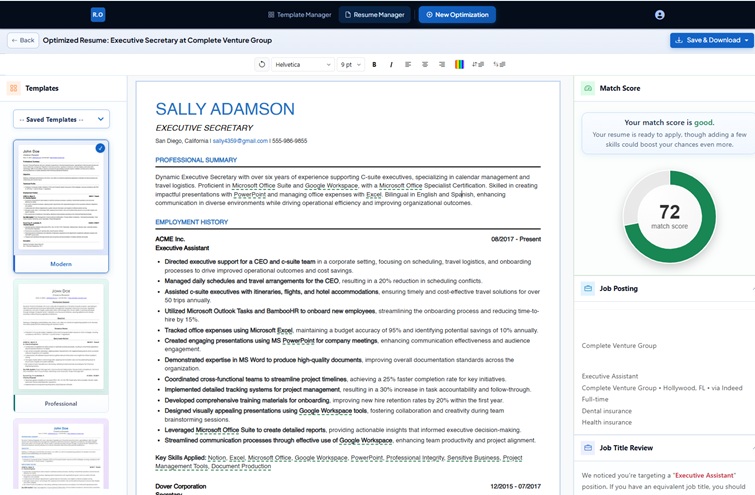
Simplify Copilot Alternative 2026: Is It Free? Pricing + Verdict
Is Simplify Copilot free? Autofill is; Simplify+ is $39.99 a month. Decision table, pricing math and a verdict versus Re...
Read More
Huntr Alternative 2026: $40/mo Pricing vs 5 Cheaper Tools
Huntr Pro is $40/mo with AI and cover letters gated behind it, free tier capped at 100 jobs. See 5 alternatives that mat...
Read More